Last updated 2026-07-09
TL;DR
AAC device software lets non-speaking or minimally verbal children (and adults) communicate by tapping symbols, letters, or pre-set phrases that the app then speaks out loud. Prices range from free iPad apps to subscriptions running $350 a year, and some software comes bundled with dedicated hardware. Which one fits best depends on the child's motor skills, language level, and thinking skills, so an SLP evaluation is the sensible place to start.
What does AAC device software actually do?
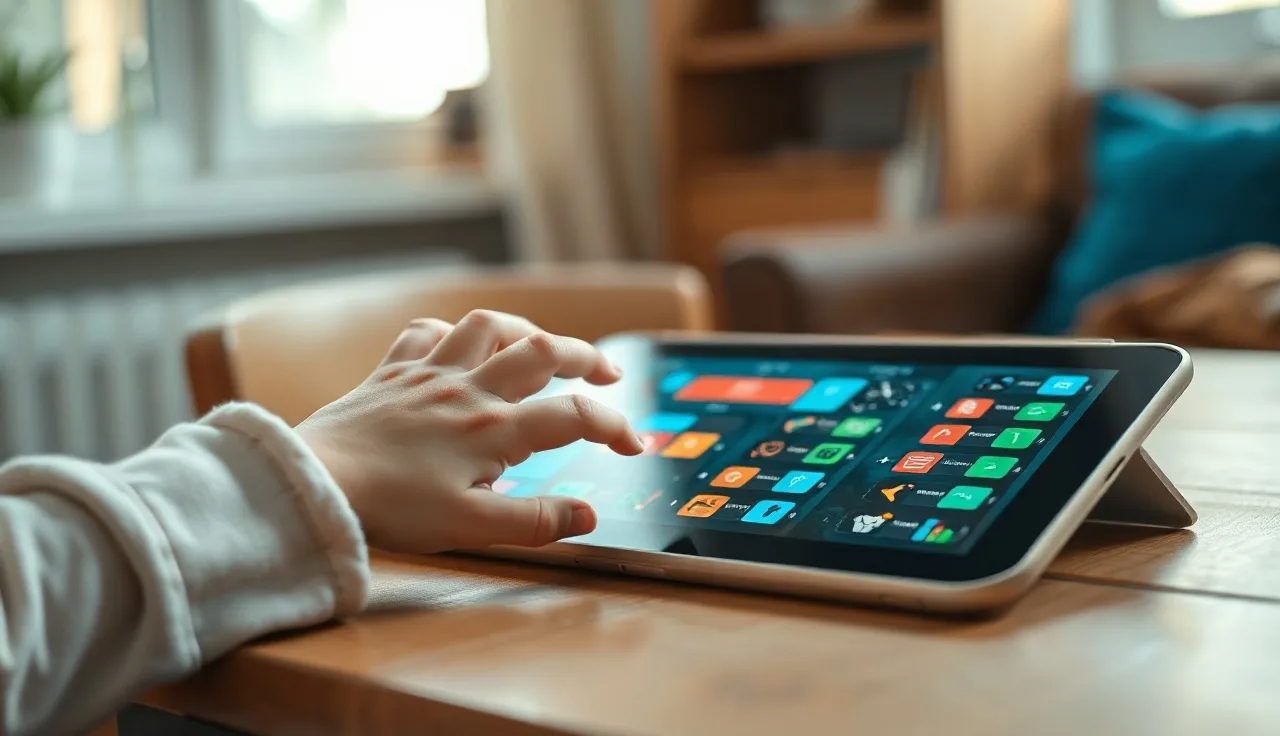
AAC stands for augmentative and alternative communication, and the software is essentially the engine behind it. It runs on either a dedicated speech-generating device or a regular tablet, and it turns taps, swipes, eye gaze, or switch presses into spoken words.
At its core, every AAC app does two things: it shows a set of symbols or text the user can select, and it turns those selections into speech. Everything else, vocabulary organization, visual scene displays, voice quality, word prediction, data logging, and customization options, sits on top of that basic function.
The American Speech-Language-Hearing Association defines AAC as "all forms of communication (other than oral speech) used to express thoughts, needs, wants, and ideas," which covers both unaided systems like sign language and aided systems like software [1]. Software-based AAC falls into the aided, high-tech category.
For families of late talkers, children with autism, or kids with apraxia of speech, this software is where the day-to-day communication actually happens. Hardware matters less than people assume: a child using a $700 iPad with the right app often does just as well as one using an $8,000 dedicated device, depending on what they need.
What are the main types of AAC software?
AAC software falls into three broad categories, and they work in quite different ways.
Symbol-based AAC uses picture symbols, most often from the PCS or SymbolStix libraries, arranged into pages or grids. The user taps a symbol and the app speaks the word or phrase. Proloquo2Go, TouchChat, and LAMP Words for Life all work this way, and this style tends to be the go-to choice for young children and anyone with limited literacy.
Text-based AAC suits users who can read and spell. Here the app is really a high-quality text-to-speech keyboard, which is how Alexicom, Predictable, and Grid 3's text mode operate. Word prediction matters a lot in this category since it cuts down how many keystrokes someone needs to make.
Hybrid systems blend the two approaches. Someone might use a symbol grid for quick access to core words, then switch to a keyboard when they want to say something the grid doesn't cover. Most modern apps lean hybrid to some degree.
There's also a split in vocabulary design philosophy. Some apps build around a "core vocabulary" model, keeping a small set of high-frequency words (go, want, stop, more, like) visible at all times while content words live in categories. Research in augmentative and alternative communication consistently backs giving users strong core vocabulary access from the start, rather than starting them on request-only "fringe" vocabulary [2].
Other apps are built around motor learning instead. LAMP (Language Acquisition through Motor Planning) gives each word a consistent motor pattern so the movements become automatic over time, a principle similar to how apraxia of speech therapy works. Its related app, LAMP Words for Life, comes up often for children with childhood apraxia of speech.
How much does AAC software cost?
The range is genuinely wide, from free to several hundred dollars a year, and that's before you count the device itself.
| App | Platform | Upfront cost | Subscription | Free trial? |
|---|---|---|---|---|
| Proloquo2Go | iOS | $249.99 one-time | None | No (free lite version) |
| TouchChat HD with WordPower | iOS/Android | $299.99 | None | Yes (30-day) |
| LAMP Words for Life | iOS/Android | $299.99 | None | No |
| Snap Core First | iOS/Android/Windows | Free app | ~$350/year | Yes |
| Grid 3 | Windows/iOS | Free app | ~$350/year | Yes (60-day) |
| Cboard | Web/Android/iOS | Free (open source) | None | N/A |
| LetMeTalk | Android | Free | None | N/A |
| Tobii Dynavox Compass | iOS/Android | Part of hardware bundle | Varies | Yes |
Those numbers cover software only. A dedicated speech-generating device from Tobii Dynavox or PRC-Saltillo can run $6,000 to $10,000 before insurance, though Medicaid covers these devices for eligible individuals under the durable medical equipment benefit in all 50 states [3].
For families who can't wait for funding to come through, starting on a consumer iPad with a purchased app is often the practical choice. The Assistive Technology Industry Association notes that insurance denials for AAC are common on first submission but frequently overturned on appeal, and having trial data from an SLP improves approval odds significantly [4].
Nobody has perfect data on what families actually spend out of pocket. The closest published estimate comes from a 2019 study in the American Journal of Speech-Language Pathology, which found that families spent a median of $250 to $500 on consumer-device AAC solutions before pursuing insurance funding [5].
Which AAC apps do speech therapists recommend most often?
There's no single winner here, but a few names come up constantly. Proloquo2Go has the largest installed base in North America and was the first serious symbol-based AAC app on iOS, released back in 2009. AssistiveWare has kept it current through every major iOS change since. It uses PCS symbols by default, organizes vocabulary in a grid, and allows for deep customization. The catch is that it's iOS-only, and with no subscription model, the $249.99 price tag is all-or-nothing.
TouchChat with WordPower is the main alternative, and it runs on both iOS and Android. Speech-language pathologist Nancy Inman built WordPower around word prediction and sentence building rather than simple requesting, which is why many SLPs reach for it with clients working toward more generative language.
Snap Core First from Tobii Dynavox shows up constantly in schools because it syncs across devices and gives teachers and therapists a clear view of what vocabulary a child is actually using. The subscription cost can be tough for families paying out of pocket, but it's often covered when the app runs on a funded dedicated device.
For children working on autism spectrum speech therapy, ASHA's Practice Portal is clear that AAC selection should rest on the individual's current communication abilities, potential for growth, and the environments where they communicate [1], not on brand popularity. If a clinician recommends an app without a trial period first, that's worth questioning.
For very young children just starting out with AAC, simple grid-based apps with large symbols and a small vocabulary, somewhere around 12 to 16 core words, tend to work better than feature-heavy systems that overwhelm both the child and the family. It's much easier to add vocabulary later than to strip an overloaded system back down.
How does AAC software work on dedicated devices vs. iPads?
Mostly, it's the same software either way. Proloquo2Go on an iPad runs the exact same code as Proloquo2Go on a rugged, dedicated speech-generating device that happens to have an iPad built into it. What changes is the hardware around it.
A dedicated device gives you a reinforced casing, a mounting arm built for wheelchairs, keyguards (physical overlays that stop accidental taps), long-term software support guaranteed by the maker, and a smoother path through insurance reimbursement. The tradeoff is weight and cost: these units are heavier and pricier than a regular tablet.
A consumer tablet is lighter, cheaper, and blends in more on the playground, since a child using an iPad doesn't read as "different" the way a bulky device might. The catch is durability: tablets are more fragile, easier for siblings (or the child) to repurpose as a video player, and harder to mount on adaptive equipment.
Switch access changes the calculation. If a child can't use a touchscreen and instead presses a physical button to scan through options, dedicated devices tend to have stronger native support for this. Grid 3 on Windows stands out here.
Eye gaze AAC is its own category. The software tracks where someone is looking on the screen, so it needs hardware with a built-in eye tracker, and Tobii Dynavox's PCEye and I-Series are the most common systems. The software, usually Snap or Compass, gets calibrated to that specific user's eye movements. You can't just download an eye gaze app: the hardware and software are sold and set up as one package.
What actually matters when you're choosing AAC software?
Some features earn their keep. Others look great in a sales demo and then sit unused once the app is on your kid's device.
Start with voice quality. Kids respond better to voices that sound natural, and most apps now license these from Acapela or VocaliD; some even let you build a custom voice from recordings of your own child or family member. It's worth paying extra for. A robotic-sounding voice is harder for other people to understand and gives a child less reason to want to use it.
Customization speed matters more than people expect. If adding a new word means working through fifteen steps, most families simply stop doing it. Look for an app where a parent can add a photo and a new word in under two minutes, because that's the difference between a system that grows with your child and one that stalls out.
Data logging is another one worth checking for. A good app records which symbols the child selects, when, and in what order, and that log is exactly the kind of detail your SLP can use to steer therapy sessions.
Access flexibility is worth planning for even if you don't need it yet. Look for support for touch, switch scanning, and ideally eye gaze, so that if your child's motor needs shift down the road, you're not stuck switching to a whole new system.
And don't overlook whether the app works offline. Plenty of families use AAC in places with no signal, so an app that depends on a live connection can let you down exactly when you need it most.
Then there's the stuff that sounds exciting but rarely earns its place. AI-powered word prediction gets a lot of attention, and it's genuinely useful for people using text-based AAC. But for young children using symbols, it matters far less than having core vocabulary organized well. Bluetooth connectivity to smart speakers is another one that sounds nice on paper but rarely gets used day to day.
Can AAC software be used at home without a speech therapist?
Technically, yes. Practically, kids do a lot better when an SLP is involved.
Here's what the research on aided AAC language input shows: children pick up AAC vocabulary faster when the adults around them model the device themselves, using it to communicate all through the day, rather than just prompting the child to press buttons [2]. That's a skill most parents need real coaching on. Watching a therapist demonstrate it once usually isn't enough to make it stick.
That said, families still handle most of the day-to-day AAC work at home, and SLPs generally want it that way. The usual setup is that an SLP at school or in a clinic gets the device configured and trains the family, then the real practice happens in ordinary moments at home. Working with your SLP on speech therapy at home is what actually turns a programmed device into real communication.
If there's no SLP within reach, some states offer early intervention that includes AAC evaluation for children under 3 at no cost to the family, under Part C of the Individuals with Disabilities Education Act [6]. Once a child turns 3, AAC evaluation and device programming through the school system is often available as part of an IEP under Part B instead.
Online speech therapy has also become a solid option, growing a lot since 2020. Most telepractice SLPs can coach families on AAC over video, and ASHA has affirmed that telepractice is an appropriate service delivery model for AAC [1].
How is AAC software funded through insurance or school systems?
This is where most families get stuck, and it is genuinely complicated.
Medicaid covers speech-generating devices as durable medical equipment under federal rules, for individuals who meet medical necessity criteria. You'll typically need an AAC evaluation from an SLP, a physician's order, and documentation from a trial period showing the device is necessary. CMS (Centers for Medicare and Medicaid Services) issued guidance in 2001 clarifying that SGDs are funded separately from other assistive technology and aren't subject to Medicaid's optional-benefit status in most states [3].
Private insurance is less predictable. Many plans will cover an SGD once there's a documented evaluation, but prior authorization is almost always required first. It's worth reading the ASHA Practice Portal's funding and insurance resource before you even call your insurer [1].
School-funded devices work differently. Under IDEA, if a child needs AAC to access their education, the district has to provide it, but the device belongs to the school, not the family, so it may not be allowed to come home. Some families end up buying a second, personal device just for home use.
Apps on consumer tablets sit in their own category. Insurance rarely pays for the app alone. It's usually an out-of-pocket purchase, while a funded dedicated device would run manufacturer-bundled software instead. That said, a few foundations offer grants specifically for AAC apps: United Healthcare Children's Foundation and the AAC Institute both run application-based funding programs.
If there's one thing that matters more than anything else in this process, it's the SLP's evaluation report. That document drives every funding pathway, whatever the source. A thorough report that lays out the child's communication profile, documents trials of multiple devices, and gives specific reasons for the recommended system has a much better shot at approval than a brief note ever will.
What does the research say about AAC software and language development?
Parents worry most that giving a child an AAC device will slow down their spoken language, and the research keeps pointing the other way: there's strong evidence that AAC does not reduce speech development, and it may actually support it.
A 2014 systematic review published in the American Journal of Speech-Language Pathology looked at 24 studies and concluded that "the evidence does not support the concern that AAC inhibits speech production; in some cases, aided AAC may facilitate speech development" [7]. The idea that a device will make a child give up on talking just isn't backed up by the literature.
What actually matters is the quality of the vocabulary built into the system. Systems that limit kids to requesting things ("I want cookie") rather than letting them comment, ask questions, refuse, or greet people tend to produce slower language growth. A 2022 study in Augmentative and Alternative Communication found that children whose systems included strong core vocabulary showed significantly more multi-word combinations at a 12-month follow-up, compared to children stuck with request-only systems [2].
For children with autism, the evidence base for AAC is substantial. The AAP's 2020 policy statement on autism spectrum disorder says plainly that AAC should be offered to nonverbal or minimally verbal individuals, and that there's no evidence to justify delaying AAC in favor of speech-only approaches [8].
One thing nobody has is good long-term data comparing specific apps head-to-head. The studies out there compare categories of AAC (high-tech versus low-tech, core versus fringe vocabulary), not, say, Proloquo2Go against TouchChat. That's a real, honest gap in what we know.
How do you set up and personalize AAC software for a child?
Every AAC app comes out of the box built for a generic user, so plan on spending real hours, not minutes, making it fit your child. That setup work is exactly where most families underestimate what's involved.
The process an SLP typically follows: pick a vocabulary level that matches where the child currently is with communication, add words that are personally relevant (family names, favorite foods, characters the child loves), arrange the grid so it's easy to navigate physically (the words used most often go in the spots that are easiest to reach), get the voice and speech rate right, and build a home page that's simple rather than overwhelming.
If you're setting this up at home, start small. A grid of 9 or 12 symbols with genuinely useful core words (more, go, stop, want, like, no, help, look, you, me, do, have) will get used far more than a 100-symbol grid the child never explores. Vocabulary can always be added later.
Most apps include a setup mode meant for parents and clinicians rather than the child. Proloquo2Go offers a free online course for parents and SLPs, and Snap Core First has a web-based configuration portal. Both are worth sitting down with.
Something a lot of families overlook: load in vocabulary for what the child already talks about, not just what you wish they'd say. If there's a TV show they're obsessed with, those characters should be on the device. Motivation drives whether a child actually uses AAC, and a device stocked mainly with words adults want to hear tends to sit unused.
For children who also use echolalia to communicate, setup should treat that echolalia as real communication. Phrases the child already says, programmed in their own voice or a voice they prefer, can act as a bridge toward more flexible use of the device.
Is there AI-powered AAC software, and does it work?
There is, and whether it actually helps depends a lot on which feature you're looking at.
Word prediction that uses AI, rather than the older frequency-based approach, has made its way into several apps already. Instead of just guessing based on the last word typed, it looks at context to figure out what's likely to come next. For literate AAC users who type out their messages, this can genuinely cut down on how much typing they have to do. A 2021 study in Disability and Rehabilitation: Assistive Technology found that context-aware prediction reduced keystrokes by 25 to 40 percent compared to standard word-frequency prediction in adult AAC users [9].
Symbol-based AAC for young children is a different story. A few apps have experimented with predictive symbol sequencing, but the benefits in real use are murkier, and plenty of caregivers switch the feature off because it rearranges the layout in ways kids find confusing.
Some newer platforms, including apps built as AI speech companions, use machine learning to adjust vocabulary suggestions based on what the child actually says or selects. Little Words is one example: it's designed as an AI companion for neurodivergent kids rather than a conventional AAC system, and it leans on adaptive logic to help language grow over time. If you're curious whether something like that would suit your child, their start quiz takes about five minutes to walk through.
As for AI that fills out a full phrase from a partial one the child types, that's still in the research stage rather than something you'll find built into standard AAC apps. The holdup is accuracy and speed, plus a real concern about the system putting words in a child's mouth that aren't quite theirs.
What to do when the AAC software isn't working for your child
Start by pinning down what "not working" actually means. A child who's had a device for two weeks and isn't using it independently isn't failing at anything. The research on aided language input suggests it takes months of consistent modeling, not days, before most children begin using AAC spontaneously and flexibly [2].
If the problem is rejection (the child pushes the device away, melts down when it appears, or just ignores it), that usually points to one of three things: the vocabulary is off, the access method is too hard, or the device is being introduced as a demand instead of something natural. "Use your device to ask" is a demand. Modeling with the device during play, with no expectation that the child imitates, is not.
If the child only ever uses the device to request things, the vocabulary or the prompting strategy probably needs to change. Widen what the child can actually say with it: comments ("that's funny," "yuck," "look"), social words ("hi," "bye," "please," "stop"), and ways to protest all matter just as much as requesting.
If your child has had 6 to 12 months of consistent modeling and still isn't progressing, it's time to ask for a full AAC re-evaluation. The system might be wrong for them, the access method might be wrong, or there could be a motor, sensory, or visual issue nobody's addressed yet.
An SLP who specializes in AAC is the person to sort this out. If your child's current SLP doesn't have much AAC experience, it's fair to ask for a referral to someone who does; ASHA's "Find a Professional" tool at asha.org lets you filter by specialty area [1].
Kids with a history of echolalia sometimes take a different route toward flexible AAC use. Echolalic language is still communicative, and building on it tends to work better than trying to replace it outright.
Frequently asked questions
AAC software versus an AAC device: what's the difference?
The device is just the hardware, either a dedicated speech-generating device or a regular tablet. The software is the app that runs on it, organizing the vocabulary and producing speech. The same AAC software can run on an iPad or on a dedicated Tobii Dynavox device, and most families buy the hardware separately from the app they end up choosing.
What's the best free AAC app for a child with autism?
LetMeTalk (Android) and Cboard (web and iOS/Android) are both free and worth trying. Neither has the depth of Proloquo2Go or TouchChat, but if funding isn't available yet, they're genuinely useful tools in the meantime. ASHA still recommends involving an SLP to guide vocabulary choices and modeling, even with a free app.
How early can a child start using AAC software?
There's no minimum age. Research and clinical guidance from ASHA consistently support introducing AAC early, and nothing suggests that starting at 12 to 18 months causes harm. The AAP's autism policy statement backs offering AAC to nonverbal toddlers rather than waiting to see if speech-only approaches fail first. For very young children, simpler setups with fewer symbols tend to work best.
Does an AAC app stop a child from learning to talk?
No. A 2014 systematic review in the American Journal of Speech-Language Pathology found no evidence that AAC holds back speech development, and some evidence it can actually help. The idea that devices suppress speech is one of the most stubborn myths around AAC, and it isn't backed by the research.
Will insurance cover AAC software?
Medicaid covers speech-generating devices as durable medical equipment in every state, though coverage for just the software on a consumer tablet is much less consistent. Private insurance varies by plan and state. Whatever the payer, the SLP's evaluation report is the document that makes or breaks a funding application, and first denials are common; they're often overturned on appeal once more documentation is submitted.
What is aided language input, and why does it matter?
Aided language input, sometimes called aided language stimulation, is when the communication partner uses the AAC device themselves to model language during everyday interactions, without expecting the child to copy them right away. Research shows this speeds up AAC learning considerably compared to approaches where only the child is expected to use the device, which is why SLPs teach it to families as a core part of AAC implementation.
Can AAC software work with switch access for children with motor impairments?
Yes. Most major AAC apps support switch scanning, where the user presses one or two switches to cycle through symbols and make a selection. Grid 3 on Windows and Snap Core First are especially strong options for switch users. The right access method should be worked out with an SLP and, ideally, an occupational therapist who knows assistive technology.
How long before a child uses AAC software independently?
There's no real average here. Some children start communicating spontaneously within weeks; others need six to twelve months of steady modeling before they initiate on their own. What matters most is how consistently the people around the child model the device throughout the day in ordinary moments, not in drill sessions. Motor skills, cognitive profile, and how well the vocabulary fits the child's actual life all play a role too.
Proloquo2Go or TouchChat: what's the difference?
Both are symbol-based apps at roughly the same price. Proloquo2Go is iOS-only, defaults to PCS symbols, and has a bigger install base in North America. TouchChat runs on iOS and Android and is often paired with the WordPower vocabulary add-on, built for more generative language rather than just requesting items. Trialing both with an SLP is really the only way to know which fits.
Do schools have to provide AAC software and devices?
Under IDEA, if a child's IEP team decides AAC is necessary for that child to access their education, the school district has to provide it at no cost. The device usually belongs to the district, though, and may not travel home, which is why some families buy a separate consumer device with the same app for home use.
Can a child use AAC software on a regular phone?
Technically, yes, for most apps, but phone screens are often too small for accurate symbol selection, particularly for children with motor challenges. Many apps need a screen of at least 7 to 9 inches to show enough vocabulary at a usable size. That said, some older children and adults who rely mainly on text-based AAC do use phones just fine.
What vocabulary should a toddler's first AAC app include?
Start small, with 9 to 16 core words that show up across many situations: more, go, stop, want, help, like, no, look, you, me, do, have, eat, play, all done, that. From there, add words tied to the child's own interests and daily routines. The research points to leading with this kind of core vocabulary rather than category-based noun lists, which tend to box a child into just requesting things.
Sources referenced in this piece include the ASHA AAC Practice Portal, which defines AAC as any form of communication other than oral speech used to share thoughts, needs, wants, and ideas, and which supports telepractice for AAC along with funding and insurance guidance (ASHA, AAC Practice Portal). Research from Beukelman and Light backs the use of strong core vocabulary from day one: a 2022 study found kids using core vocabulary systems produced more multi-word combinations at their 12-month follow-up, and aided language input speeds up AAC learning overall (Augmentative and Alternative Communication, Beukelman & Light, core vocabulary research). On the funding side, Medicaid covers speech-generating devices as durable medical equipment for those who qualify, and CMS guidance from 2001 clarified that SGDs are funded separately from other assistive technology (Centers for Medicare and Medicaid Services, Medicaid durable medical equipment coverage). Insurance denials on first submission are common but often get overturned on appeal, especially with an SLP trial data report attached (Assistive Technology Industry Association, AAC funding guidance). A 2019 study found families spent a median of $250 to $500 on consumer-device AAC solutions before ever pursuing insurance funding (American Journal of Speech-Language Pathology, family AAC spending study (2019)). Separately, IDEA Part C provides early intervention services, including AAC evaluation, for children under 3 at no cost to families, while Part B covers AAC for school-age kids through IEPs (U.S. Department of Education, IDEA Part C Early Intervention Program). On whether AAC gets in the way of speech, a systematic review of 24 studies by Millar, Light, and Schlosser concluded it doesn't inhibit speech production and may actually help it along (American Journal of Speech-Language Pathology, Millar, Light & Schlosser systematic review). The American Academy of Pediatrics' 2020 autism guideline says AAC should be offered to nonverbal or minimally verbal individuals, and there's no evidence for delaying it in favor of speech-only approaches (American Academy of Pediatrics, Autism Spectrum Disorder Clinical Practice Guideline (2020)). A 2021 study also found that context-aware AI word prediction cut keystrokes by 25 to 40 percent compared to standard word-frequency prediction among adult AAC users (Disability and Rehabilitation: Assistive Technology, context-aware word prediction study (2021)). For device specifics: Proloquo2Go is a one-time iOS purchase at $249.99, first released in 2009 (AssistiveWare, Proloquo2Go product page), while dedicated speech-generating devices from major manufacturers run $6,000 to $10,000, with Snap Core First offering subscription pricing around $350 a year (Tobii Dynavox, SGD pricing and device overview).Little Words is a voice-first app where your child talks and plays with Buddy at home, low-pressure practice that sits alongside their device. It is free to download.
See your child's planor download on the App Store