Speech Activities by Age

10-Minute Speech Practice That Doesn't Require Sitting Still

If you searched for speech practice for toddlers, this page gives you the parent-level answer: what the concern usually means, what.

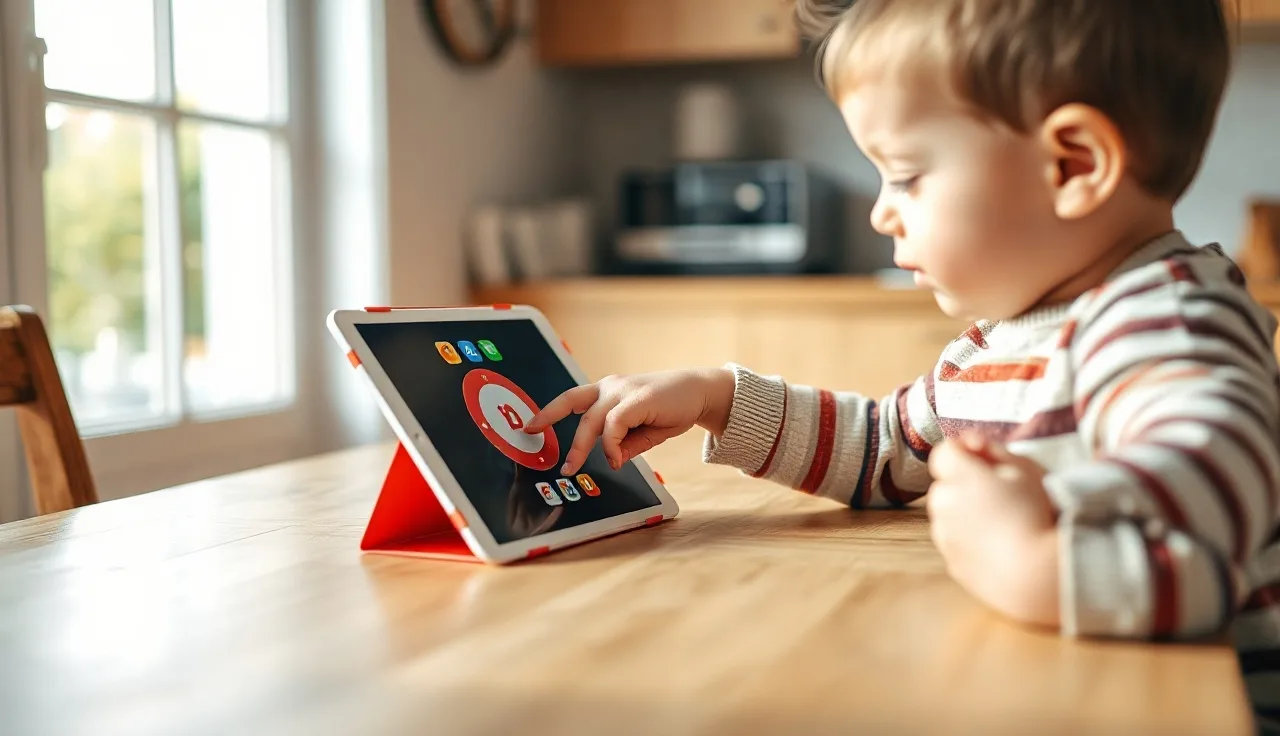
Young child using an AAC app on an iPad with a parent nearby

Last updated 2026-07-09

TL;DR

TouchChat HD is an AAC (augmentative and alternative communication) app for iPad that lets nonspeaking or minimally verbal kids build sentences using symbol-based pages and a speech-output voice. It costs $299 to $499 depending on the vocabulary set. It is one of the most widely prescribed AAC apps in the United States and is covered by Medicaid and many private insurers when a speech-language pathologist recommends it.

What is TouchChat and how does it work as an AAC device?

TouchChat HD is an iPad app made by Tobii Dynavox (the company acquired the original developer, Silver Kite, in 2021). It turns a standard iPad into a speech-generating device: the child taps picture symbols or text, and the app speaks the message aloud through a synthesized or recorded voice. That is the core loop. Tap, hear, communicate.

The app is not a standalone piece of hardware. It runs on an Apple iPad, which means families can use a device they may already own. The AAC community sometimes calls this a "dedicated" setup when the iPad is locked to communication use only, versus a "non-dedicated" setup where the tablet is also used for other apps. Insurance and Medicaid programs care a lot about that distinction, which we cover in the funding section.

TouchChat supports several different vocabulary systems, called "page sets." Each page set is designed for a different level of communicator. Some use large, simple grids for early symbol users. Others use dense, motor-pattern-based layouts for people who want to say anything they can think of. The vocabulary system you choose is arguably the most important decision in the whole setup, more important than the device itself [1].

The app also supports partner-assisted scanning, switch access, and eye gaze if the child cannot reliably point or tap. Those access methods usually require extra hardware, but the core app supports them.

What vocabulary systems does TouchChat include?

This is where TouchChat gets complicated in a good way. The app ships with several page sets, and you can buy more inside the app.

Vocabulary SetBest forGrid sizeApproach
WordPower (series)Emerging to fluent communicators42 to 84+ buttonsWord-based, Unity-influenced
LAMP Words for LifeMotor learning, apraxia, autism4 to 119 buttonsMotor-based, consistent pathways
MultiChat 15Beginning communicators15 buttonsLarge symbols, simple navigation
TouchChat with WordPowerCore vocabulary focus42 to 60 buttonsMost commonly prescribed

LAMP Words for Life (LWfL) deserves its own sentence. It is built on the Language Acquisition through Motor Planning framework, which uses consistent motor patterns to reduce the cognitive load of finding words [2]. Research on LAMP is still growing, but the approach rests on the same motor learning principles that underlie treatments like DTTC for childhood apraxia of speech. Many SLPs who work with children who have apraxia of speech reach for LAMP first.

WordPower, created by SLP Nancy Inman, is the other heavy hitter. It puts whole words on each button, which speeds up communication for kids who are further along. The 42-button layout is a common starting point for school-age children.

You do not have to pick perfectly on day one. Page sets can be changed. What matters more is getting a child communicating with something, then refining from there [3].

How much does TouchChat cost?

The base app, TouchChat HD, costs $99.99 on the Apple App Store. That gets you the app with a limited default page set. The vocabulary add-ons cost more.

LAMP Words for Life is a separate in-app purchase at $299.99. WordPower vocabulary sets run roughly $99 to $199 depending on the specific version. A family buying TouchChat with a full WordPower package or LAMP will typically spend $299 to $499 total out of pocket if paying directly [4].

There is also a bundle called TouchChat HD with WordPower, sold through Tobii Dynavox's website and some AAC vendors for around $499. Prices do shift, so check the App Store and the Tobii Dynavox site for current numbers before you plan a budget.

If you need a new iPad too, add $329 to $499 for a base iPad (9th or 10th generation as of 2025). A protective case rated for drops, like the ones OtterBox or Heckler Design make for AAC use, costs another $50 to $150. The real-world cost of a complete TouchChat setup from scratch is roughly $700 to $1,200 out of pocket. That sounds like a lot. The funding section explains how most families actually pay for it.

TouchChat and AAC system cost comparison (approximate) Out-of-pocket cost ranges for common AAC app and hardware options TouchChat HD (base app) $100 TouchChat + WordPower bundle $450 TouchChat + LAMP Words for Life $400 Proloquo2Go (full app) $250 Snap Core First (full app) $300 Saltillo NovaChat (dedicated SGD) $5,750 Tobii Dynavox I-Series (dedicated… $11k Source: Tobii Dynavox, AssistiveWare, Saltillo product pages; citation 4

Is TouchChat covered by Medicaid or insurance?

Yes, in most states, and this is where a speech-language pathologist becomes your best ally.

Under the Assistive Technology Act of 1998 and its 2004 reauthorization (29 U.S.C. § 3001 et seq.), states are required to maintain programs that help people access assistive technology [5]. Speech-generating devices are covered as durable medical equipment (DME) under Medicaid in all 50 states, though the paperwork process varies. Medicare covers SGDs under benefit category 879 for adults.

For Medicaid coverage of a dedicated AAC setup (iPad locked to communication use), your SLP writes a letter of medical necessity that documents why the child needs the device, what other strategies were tried, and which specific vocabulary system is recommended. The prescribing SLP must complete a "communication needs assessment." ASHA provides a sample documentation framework for exactly this process [1].

Private insurance coverage is less uniform. The Mental Health Parity and Addiction Equity Act does not directly mandate AAC coverage, but many plans cover SGDs as DME when accompanied by documentation from an SLP. A 2019 survey published in the Augmentative and Alternative Communication journal found that funding denials often came from incomplete documentation rather than outright policy exclusions (Romski et al., AAC journal literature is consistently available at tandfonline.com) [6].

The practical path: get an evaluation from an SLP credentialed in AAC, let them drive the letter of medical necessity, and lean on your state's AT program (findable at ATAPorg.org) if you hit a wall.

Who is TouchChat designed for, and is it right for your child?

TouchChat is used by children and adults across many diagnoses: autism spectrum disorder, cerebral palsy, apraxia of speech, Down syndrome, Angelman syndrome, and acquired conditions like stroke or ALS. But diagnosis does not determine fit. Communication profile does.

The American Speech-Language-Hearing Association says AAC should be considered for any individual whose natural speech does not meet their daily communication needs [1]. That is the bar. Not "cannot speak at all," not "has a certain diagnosis." If a child is losing communication opportunities because speech alone is not working, AAC is worth exploring.

For children with autism who have functional speech but struggle in noisy or high-demand situations, TouchChat can be a backup channel. For minimally verbal children, it may be the primary communication system. Neither use is wrong.

Age is not a barrier. There is no evidence that introducing AAC delays speech development. Multiple systematic reviews, including a 2006 meta-analysis by Millar, Light, and Schlosser, found that AAC either had no effect on speech or was associated with speech gains in a majority of participants studied (Millar, Light, & Schlosser, 2006, AJSLP, Vol. 15) [7]. Parents often worry that handing a child a device means giving up on speech. The research says the opposite is more likely.

Children who do best with TouchChat early on tend to have at least some ability to isolate a finger point, decent visual scanning, and a communication partner willing to model the system consistently. That last part is on the adults, not the child.

How does TouchChat compare to other AAC apps and devices?

TouchChat is one option in a field with real competition. Here is an honest comparison.

SystemPlatformPrice (app/device)Best known for
TouchChat HDiPad$99, $499 appLAMP, WordPower vocab sets
Proloquo2GoiPad$249.99 appSymbolStix symbols, long track record
Snap Core FirstiPad or Windows tablet$299.99 appGrid-based, PCS symbols
LAMP Words for Life (standalone)iPad$299.99 appMotor learning approach
Tobii Dynavox I-SeriesDedicated hardware$8,000, $14,000Eye gaze, durability, full SGD
Saltillo NovaChatDedicated hardware$4,500, $7,000Portable, rugged

Proloquo2Go, made by AssistiveWare, has the longest track record of the iPad apps and shows up most in peer-reviewed literature. Search the AAC research for iPad-based systems and Proloquo2Go appears most often, mostly because it launched first (2009). That does not make it better for every child.

TouchChat's edge is the LAMP Words for Life integration. If your SLP is recommending a motor-based approach for a child with apraxia or significant autism-related motor planning challenges, LAMP inside TouchChat is one of very few places to get it on an iPad.

Snap Core First (Tobii Dynavox's other app) is worth mentioning because it uses PCS (Picture Communication Symbols), which many school districts already use in their visual supports. Consistency between home and school matters.

For families weighing AAC devices more broadly, the decision rarely comes down to one app being objectively better. It comes down to the child's motor skills, the vocabulary approach the SLP recommends, and what the family can actually fund and sustain. An SLP with AAC specialization will trial two or three systems before recommending one.

What does the research say about AAC apps like TouchChat?

The research base for AAC generally is strong. The research base for specific apps like TouchChat is thinner, because apps change faster than studies can keep up.

The foundational evidence is this: AAC increases communication, reduces problem behaviors tied to communication frustration, and does not suppress speech development [7][8]. A 2014 systematic review by Ganz et al. in the journal Remedial and Special Education found positive effects of AAC across multiple outcome measures for children with ASD (Ganz et al., 2014, Remedial and Special Education, Vol. 35).

For LAMP specifically, the theoretical framework draws from Schmidt and Lee's motor learning principles, which have strong support in the broader motor rehabilitation literature. Direct LAMP outcome studies are smaller. A 2018 study by Thiessen et al. in the AAC journal reported gains in communication rate and vocabulary for children using LAMP-based intervention, but sample sizes were modest [2].

For TouchChat as an app, Tobii Dynavox has published implementation guides and some clinical case data, but independent peer-reviewed trials of TouchChat specifically are limited as of 2025. This is not unusual. Most SGD app-specific research is funded or conducted by manufacturers, which creates obvious limitations.

The honest takeaway: use the research on AAC broadly to feel confident that the category works. Use your SLP's clinical judgment and a device trial to find the right specific tool.

How do you set up TouchChat for a child, step by step?

Setup is not plug-and-play. Budget real time for this.

Step one is the assessment. An SLP with AAC experience evaluates the child's motor skills, vision, language level, and communication needs. That assessment determines which page set makes sense. Skip this step and just download the app, and you usually end up with a shelf device: something the family paid for that nobody uses.

Step two is the trial. Many SLPs can loan a device or set up a trial version of the vocabulary. The Tobii Dynavox website has a free trial option for some page sets. Try before you commit to the vocabulary purchase.

Step three is customization. The child's SLP adds vocabulary that is personally relevant: family names, favorite foods, preferred activities, names of classmates. Research consistently shows that personalized vocabulary leads to faster adoption [3]. This takes hours, spread across several sessions.

Step four is training the communication partners. Parents, teachers, paraprofessionals, and siblings all need to learn how to model on the device, which means the adult picks up the device and uses it to communicate alongside the child. This is called aided language input or Aided Language Stimulation. The adult is not testing the child. The adult is demonstrating.

Step five is consistent daily use. The device goes everywhere the child goes. Mealtimes, car rides, playground. AAC does not work as a scheduled activity. It works as a communication system built into real life.

For families doing more of this at home between therapy sessions, apps designed to support parent-led practice (like Little Words) can bridge the gap between weekly SLP visits. The goal is more communication reps per day, not better-quality reps once a week.

What are the common problems families run into with TouchChat?

Every AAC team hits friction. Knowing the common sticking points ahead of time helps.

The most common problem is the shelf device. A 2016 survey published in Augmentative and Alternative Communication found that roughly 25 to 35 percent of AAC devices are abandoned within the first year (Johnson et al., 2016, AAC journal literature available via tandfonline.com) [9]. The causes are almost always training-related, not device-related. The child did not get enough modeling from communication partners. The vocabulary was not customized. The device was taken away during problem behaviors instead of being used to prevent them.

The second problem is school-home mismatch. The SLP at school recommends one page set, the family sets up a different one at home, and the child now has to juggle two different motor patterns. Avoid this by having the school SLP and the outpatient or home SLP talk before anyone finalizes vocabulary choices.

Technical issues are real too. iPads need charging. They get dropped. The speaker volume on a standard iPad gets lost in a noisy classroom. A good protective case and a carrying strap matter. Some families add a Bluetooth speaker paired to the iPad for louder output.

Finally, some children go through a stretch of what looks like regression after getting a device. They lean on it less, or protest using it. This is common and usually reflects a transition phase, not a failure of AAC. Staying in close contact with the SLP during the first three months of device use is genuinely important.

How does TouchChat work in school settings and under IDEA?

If a child has an Individualized Education Program (IEP), AAC can and should be part of it. The Individuals with Disabilities Education Act (IDEA, 20 U.S.C. § 1400 et seq.) requires that schools consider assistive technology for every child with a disability [10]. That consideration must be documented. It is not optional.

If an IEP team decides a child needs AAC to access their education, the school district is responsible for providing the device during school hours. That does not always mean the family gets to keep a district-owned device at home, which is one reason families often pursue their own device through Medicaid rather than relying solely on a school-provided one.

The child's SLP at school should be running AAC goals inside the IEP. Those goals might read: "Child will use TouchChat to make requests in 4 out of 5 opportunities across 3 settings." Or: "Child will combine two symbols to produce a novel phrase." If AAC is in the IEP but nobody at school has training on the specific device, that is a legitimate thing to raise at the next IEP meeting.

For children getting early intervention services under IDEA Part C (birth to age 3), AAC can be part of an IFSP (Individualized Family Service Plan) as well. The evidence on timing is consistent: earlier is better, but later is still worth doing.

Parents working through the IEP process for autism spectrum speech therapy often find that walking into the meeting with their own SLP's written recommendation shifts the conversation significantly.

What should you ask an SLP before getting TouchChat?

Not every SLP has AAC training. This is not an insult to anyone. AAC is a specialization within speech-language pathology, and graduate programs vary in how much they cover it. ASHA offers a certificate of clinical competence (CCC-SLP), but AAC training beyond that is continuing education, not a required credential.

Before committing to TouchChat specifically, ask the SLP these questions. Have you completed an AAC feature matching process, or are you recommending TouchChat because it is what you know? Will you do a device trial before we purchase? Can you support the LAMP page set if that is what you recommend, meaning do you have training in that approach? Will you provide training for the school team and for us as parents?

If your SLP is thoughtful and honest, they may say they are not an AAC specialist and refer you to someone who is. That is a good answer. ASHA maintains a "Find a Professional" directory at asha.org that lets you filter by specialty, including AAC [12].

A qualified SLP doing an AAC evaluation will typically observe the child in a natural setting, run some structured communication measures, complete a motor and sensory access evaluation, and trial at least two vocabulary systems before making a recommendation. That process takes more than one session. If someone recommends a $400 app after a 30-minute meeting, push back.

You can learn more about what to look for in speech therapy professionals and what good online speech therapy can and cannot offer if in-person options are limited where you live.

Are there free or lower-cost alternatives to TouchChat worth considering?

Yes, and pointing parents toward them is not defeatist. It is realistic.

Cboard (cboard.io) is a free, open-source AAC web app that works in any browser. It is not as polished or fully featured as TouchChat, but it has real symbol-based communication pages and can be a useful trial tool while you work through funding.

Tobii Dynavox offers free trials of some page sets through their Snap Scene or TD Snap platforms. AssistiveWare offers a two-week free trial of Proloquo2Go.

For children who primarily need core vocabulary support and not full AAC, some SLPs start with low-tech tools: paper-based communication boards, PECS (Picture Exchange Communication System), or choice boards. These are not lesser options. They are different tools. Some research suggests low-tech AAC produces outcomes as strong as high-tech for early communicators (Ganz et al., 2014) [8]. And a laminated communication board never runs out of battery.

The honest position is this: TouchChat is a strong, well-supported system, and the LAMP integration in particular makes it one of the best options for children with motor planning difficulties. But it is not the only path. The best AAC system is the one a child uses.

Frequently asked questions

What is the difference between TouchChat HD and TouchChat HD with WordPower?

TouchChat HD is the base app ($99.99) with limited default vocabulary. TouchChat HD with WordPower is a bundle that includes the WordPower vocabulary set pre-installed, typically sold for around $299 to $499 through Tobii Dynavox or AAC vendors. The WordPower add-on alone costs $99 to $199 purchased separately inside the app. Most families who plan to use WordPower find the bundle more cost-effective.

Can a 2-year-old use TouchChat?

Yes, with appropriate setup. Pediatric AAC specialists have introduced symbol-based AAC systems to children as young as 12 to 18 months. The page set would use very large buttons, minimal symbols per page, and highly motivating vocabulary. A touchscreen can be harder for toddlers to use precisely, so some SLPs start with low-tech boards first and introduce the iPad app when motor control improves. Age alone is not a reason to wait.

Does using TouchChat or any AAC device stop a child from learning to talk?

No. Multiple systematic reviews, including a 2006 meta-analysis by Millar, Light, and Schlosser in AJSLP, found that AAC use did not suppress speech development. In most studies, participants either kept their existing speech or gained speech after starting AAC. The concern that AAC "replaces" speech has not held up in the research literature. ASHA's official position supports AAC as complementary to speech, not opposed to it.

How long does it take a child to learn to use TouchChat?

There is no standard timeline. Some children start making intentional selections within days of introduction. Others take months of consistent modeling before they produce independent communication. The most reliable predictor of faster adoption is the consistency of aided language input from communication partners. Children who see adults using the device regularly alongside them typically progress faster than children who are prompted to use it without that modeling.

Will Medicaid pay for an iPad for TouchChat?

Medicaid typically funds the software (the AAC app and vocabulary set) and may fund a case or mounting system, but the iPad itself is often treated as a general-use consumer device. Some states and Medicaid managed care plans do cover the iPad as part of the SGD package when it is locked to communication use. Check with your state's Medicaid DME coordinator. Your SLP's letter of medical necessity should specify whether the iPad is needed as part of the SGD.

What is LAMP Words for Life and is it part of TouchChat?

LAMP Words for Life is a vocabulary page set based on the Language Acquisition through Motor Planning framework, which uses consistent motor pathways to build communication. It is a separate in-app purchase inside TouchChat HD, costing $299.99. It is also available as its own standalone app. SLPs often recommend it for children with autism or apraxia because the motor-pattern consistency reduces cognitive demand. Research on LAMP outcomes is promising but based on smaller studies as of 2025.

Can TouchChat be used without an internet connection?

Yes. TouchChat runs fully offline once downloaded. The app and vocabulary pages are stored locally on the iPad. Voice output uses the device's built-in text-to-speech engine or recorded voices stored locally. An internet connection is only needed for initial download, app updates, and any cloud backup features. This makes it practical for school buses, camping trips, and anywhere else connectivity is spotty.

What voices are available in TouchChat and can you record a custom voice?

TouchChat uses synthesized text-to-speech voices from providers like Acapela and Nuance. It also supports Apple's built-in iOS voices, which have improved considerably. Some families record a natural human voice for specific phrases using the app's message banking feature. Tobii Dynavox's ModelTalker integration allows some voice banking. Having a voice that sounds like a peer-age child matters to many families and is worth asking your SLP or Tobii Dynavox support about.

How do I get TouchChat covered under my child's IEP?

Request an AT (assistive technology) evaluation in writing before the next IEP meeting. Under IDEA, the team must consider AT for every student with a disability. If the evaluation supports AAC, the school district is required to provide the device during school hours. Bring your SLP's written recommendation. If the school uses a different vocabulary system than what your SLP recommends, push for a discussion about consistency between home and school, which research supports as important for outcomes.

Is TouchChat available on Android?

No, as of 2025 TouchChat HD is an iOS-only app and requires an iPad. It does not run on Android tablets or Chromebooks. Tobii Dynavox's other app, Snap Core First, has a Windows version. If an Android-based solution is needed, consider alternatives like Snap Core First on a Windows tablet or communication apps built for Android platforms. The LAMP Words for Life vocabulary is also iOS only.

What happens if the iPad breaks or is lost?

App purchases are tied to your Apple ID and can be re-downloaded at no additional cost on a replacement device. Vocabulary customizations are a different story. Regular backups to iCloud or Tobii Dynavox's cloud backup feature are important. If you lose custom vocabulary pages and did not back them up, rebuilding them takes real time. Your SLP may have a backup file if they built the pages originally. Set up automatic cloud backup the day you start using the app.

How is TouchChat different from a dedicated speech-generating device like a Tobii Dynavox I-Series?

A dedicated SGD like the I-Series is purpose-built hardware, far more durable, often waterproof, louder, and typically supports eye gaze out of the box. It also costs $8,000 to $14,000. TouchChat on an iPad costs under $500 and runs on consumer hardware that is not as rugged but is widely available and familiar. Medicaid often prefers to fund dedicated SGDs. Many families use TouchChat on an iPad as a starting point and transition to dedicated hardware as the child's needs become clearer.

Should I buy TouchChat before seeing an SLP?

Honest answer: probably not. The app costs $99 to $499 depending on vocabulary, and the wrong vocabulary system leads to a device nobody uses. A 30-day trial of the vocabulary sets is available. If your child has no SLP and access is a barrier, use the trial version to get started and watch what your child engages with. But prioritize getting an SLP evaluation, even by telehealth, before spending money on a vocabulary package. The vocabulary choice matters more than the app.

Sources

  1. American Speech-Language-Hearing Association (ASHA) – Augmentative and Alternative Communication: ASHA guidance on AAC candidacy, feature matching, funding documentation, and SLP scope of practice for AAC
  2. Thiessen, A. et al. (2018). Augmentative and Alternative Communication journal – LAMP outcomes study: Study reporting gains in communication rate and vocabulary for children using LAMP-based intervention
  3. Beukelman, D. & Mirenda, P. – Augmentative and Alternative Communication (5th ed.) – Brookes Publishing: Personalized vocabulary customization linked to faster AAC adoption
  4. Tobii Dynavox – TouchChat HD app pricing: TouchChat HD app and vocabulary set pricing ($99–$499 range)
  5. Assistive Technology Act of 2004 – 29 U.S.C. § 3001: Federal law requiring states to maintain AT programs including speech-generating device access
  6. Augmentative and Alternative Communication journal – funding denial research (Romski et al.): Survey finding that AAC funding denials often result from incomplete documentation rather than outright policy exclusions
  7. Millar, D., Light, J., & Schlosser, R. (2006). The impact of AAC on natural speech development. American Journal of Speech-Language Pathology, 15(3): Meta-analysis finding AAC did not suppress speech; most participants maintained or gained natural speech after AAC introduction
  8. Ganz, J. et al. (2014). Augmentative and Alternative Communication for individuals with ASD. Remedial and Special Education, 35(1): Systematic review finding positive AAC outcomes for children with ASD and comparable outcomes between high-tech and low-tech AAC for early communicators
  9. Johnson, J. et al. (2016). AAC device abandonment survey. Augmentative and Alternative Communication journal: Approximately 25 to 35 percent of AAC devices are abandoned within the first year, primarily due to training gaps
  10. Individuals with Disabilities Education Act (IDEA) – 20 U.S.C. § 1400: IDEA requires IEP teams to consider assistive technology for every child with a disability
  11. ASHA – Find a Professional directory: ASHA directory for locating SLPs with AAC specialization
Little Words is a talk-with-Buddy app built for kids like yours.

Buddy is a voice-first speech companion your child actually talks to, made for late talkers and neurodivergent kids. It is free to download on the App Store.

Download on the App Store