Last updated 2026-07-09
TL;DR
The AbleNet Little Step-by-Step is a single-switch AAC device that holds several pre-recorded messages and plays them back one after another, in order. It runs about $130 to $160, takes no tech skills to set up, and turns up again and again with toddlers, kids with motor impairments, and early AAC learners. It doesn't run apps and won't generate new language on its own. But for sequential communication, it's about as steady a starter device as you'll find.
What is the AbleNet Little Step-by-Step, and what does it actually do?
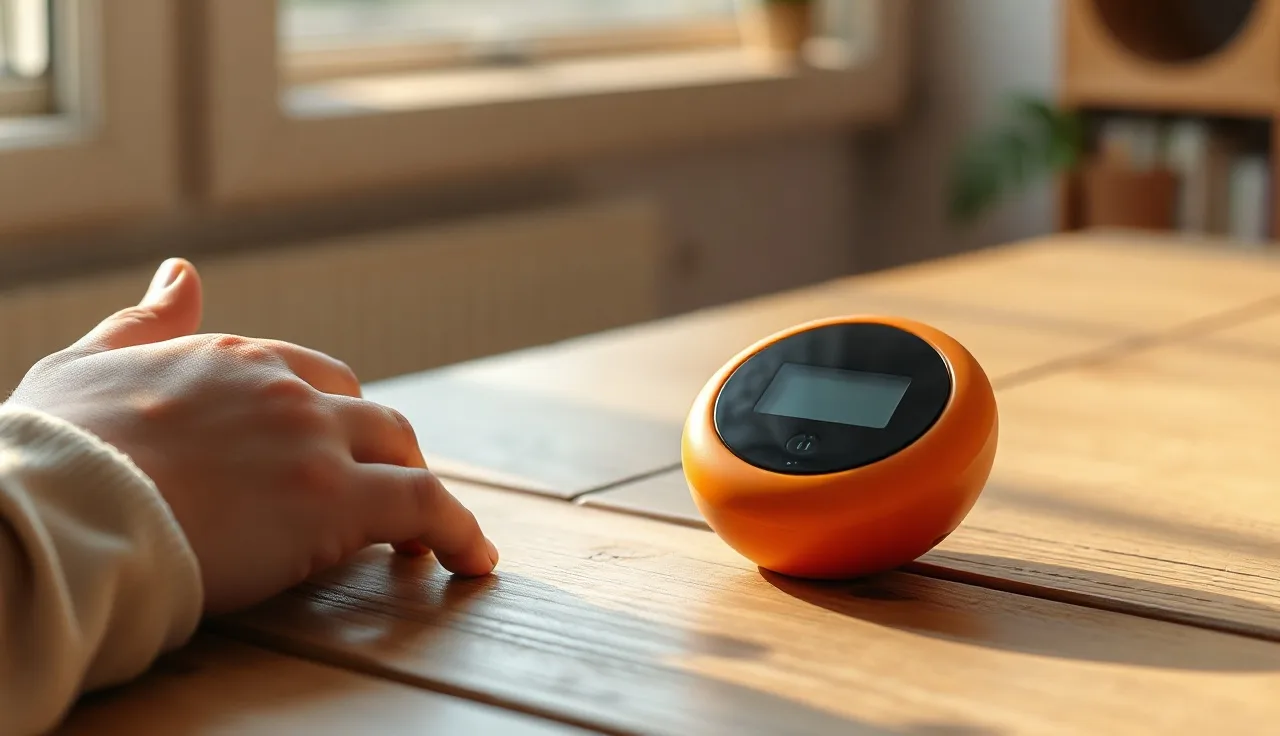
It's a small, battery-powered switch, about 4.5 inches across, that plays back recorded messages one at a time in the order you set them up. It sits flat on a table or mounts to a surface, and one press of the big activation surface plays the first message you've recorded. Press it again and you get the second message, and so on, cycling through up to 75 seconds of total recording time spread across as many messages as you want to record back-to-back. [1]
That sequential playback is really the whole point of the device. Instead of choosing from a grid of symbols the way a child would with a full dynamic AAC system, the child works through a script you've recorded, one press at a time. For certain tasks that's genuinely useful. A child can "read" a book by pressing the switch to advance each page's line, greet a classmate with a multi-part exchange, or work through a predictable routine like "I'm done. Can I have a break?"
AbleNet has made this device for decades, and it has a strong track record in early childhood special education. [2] It won't take the place of a more flexible system for kids who need open-ended language. But for building an understanding of cause and effect, practicing turn-taking, or giving a child a clear first step into aided communication, it does the job well.
Who tends to use this device
Three groups of kids account for most of the Little Step-by-Step's use. The first is very young AAC beginners, usually toddlers or preschoolers whose therapist wants to plant one idea: press something, and communication happens. Because the activation surface is large and forgiving (no fine motor precision required) and the sound feedback is instant, it works well as a first device. The American Speech-Language-Hearing Association notes that AAC intervention should start as early as possible, and that simple, single-message devices are reasonable starting points for building early communicative competence. [3]
The second group is children with significant motor impairments, including cerebral palsy, who can activate a single switch but aren't ready for a dynamic display. The device takes an external switch, so a child can operate it through a head switch, a foot switch, a sip-and-puff switch, or another access method suited to their movement.
Third are kids with autism or other developmental differences who do better with scripted, predictable language in structured moments. A pre-recorded sequence removes the pressure to build new language on the spot, which helps when a child is working on things like initiating a greeting, requesting a snack, or joining a group activity. [4]
Adults with acquired communication differences use it too, though this piece focuses on kids. The manufacturer's documentation lists AAC learners along with individuals who have autism, cerebral palsy, or traumatic brain injury as its main users. [1]
How do you record and reprogram it?
This is where the device earns its reputation for simplicity. No apps, no Bluetooth, no software to install. Flip the record/play switch on the side to record, press the activation surface, and speak your first message into the built-in microphone. Release the surface to end that message, then press again to record the next one. Keep going until you've got all your messages in, then flip the switch back to play mode.
That's the whole process. A parent, teacher, or therapist can reprogram the device in under two minutes. Recording quality is fine for clear speech but not studio-grade, which matters if your child has auditory processing sensitivities: some families find they get better results recording slower, cleaner sentences rather than talking at normal conversation speed.
A level indicator shows how much recording time you've used. Total capacity is 75 seconds, which sounds tight but covers most sequential scripts without trouble. A four-message morning greeting routine, for instance, might use only about 20 seconds of that.
Worth knowing before you hand it over: there's no password protection or lock on the recording mode, so a curious kid who finds the switch can wipe everything in seconds. Many classrooms deal with this by taping over the side switch.
What does the Little Step-by-Step cost, and is it covered by insurance or Medicaid?
The Little Step-by-Step Multi-Message runs about $129 to $159 depending on where you buy it. AbleNet's own site lists it in that range, and you'll also find it through Enabling Devices and various special education supply catalogs. [1] The price hasn't moved much over the years.
Whether it's covered is a messier question. Medicaid can pay for AAC devices, including simple dedicated ones like this, when a speech-language pathologist documents medical necessity. The Centers for Medicare and Medicaid Services treats AAC devices as durable medical equipment, and many state Medicaid plans follow that same framework for children through the EPSDT benefit (Early and Periodic Screening, Diagnostic, and Treatment). [5] EPSDT requires states to cover any medically necessary service for kids under 21, and families have used that rule successfully to get AAC devices funded.
Private insurance is much less consistent. Some plans will cover the device under durable medical equipment with a prescription and SLP documentation; others deny it as "educational" equipment instead. Either way, you'll need a prior authorization letter from your SLP that lays out the evaluation findings, names the specific device, and explains why other options won't work.
Schools can provide AAC devices too, through an IEP under IDEA, if the team decides the device is necessary for the child's education. [6] But that device belongs to the school, not the family, which is why many parents pursue insurance funding separately to have one at home.
Given the price sits at $130 to $160, plenty of families just buy it outright and skip the insurance fight entirely. Whether that makes sense for you depends on your budget and how much paperwork you're willing to take on.
How does the Little Step-by-Step compare to other beginner AAC devices?
Looking at the broader lineup of beginner AAC devices helps put this one in context.
| Device | Messages | Price (approx.) | Dynamic display | External switch | Best for |
|---|---|---|---|---|---|
| AbleNet Little Step-by-Step | Sequential, 75 sec total | $129-$159 | No | Yes (3.5mm) | Sequential scripts, motor access |
| AbleNet BIGmack | 1 message | ~$99 | No | Yes | Single message, cause-and-effect |
| Enabling Devices Tech/Talk 8+8 | 8 messages, 2 levels | ~$130-$170 | No | Yes | Choosing from options |
| GoTalk 9+ | 45 messages, 5 levels | ~$180-$220 | No | No | More vocabulary, picture symbols |
| iPad with Proloquo2Go | Thousands of words | $200+ hardware + $250/yr app | Yes | Via Bluetooth | Full AAC, language building |
The Little Step-by-Step occupies a specific niche: sequential playback with switch access at a fair price. The BIGmack does less (just one message), while the GoTalk line goes further, leaning toward choice-making with a larger vocabulary set. None of these stand in for a full dynamic AAC system when a child needs flexible expressive language. [3]
Kids who are further along, or who need to build out real vocabulary, are usually better served by AAC devices with dynamic language systems. Think of the Little Step-by-Step as a stepping stone rather than where a child's communication journey ends up.
Can you use the Little Step-by-Step with autism specifically?
Yes, and it gets a lot of use in autism support settings. What matters more than the diagnosis is what the child actually needs to communicate right now.
For kids working on joint attention, turn-taking, and joining structured activities, a sequential device strips away a lot of demand. The child doesn't have to work a symbol system or build a new sentence. They press, communicate, wait for a response, press again. That predictability can help a child who's still getting comfortable with the idea that communication goes back and forth.[4]
For children with autism who also have apraxia of speech or significant motor-speech differences, the device gives them a reliable voice when spoken words are unavailable or just exhausting to produce. Research keeps finding that giving a child AAC doesn't reduce speech development and may actually support it. A 2006 systematic review in the Journal of Speech, Language, and Hearing Research found no evidence that AAC inhibits speech production, and it noted positive trends toward increased speech in several of the studies it reviewed.[7]
Once a child is ready for more flexible communication (asking new questions, commenting on the fly, building out sentence structure), the Little Step-by-Step will start to feel limiting. That's not a failure on anyone's part. It just means the child has outgrown the tool and is ready for something with more range.
If your child is going through autism spectrum speech therapy, bring this device, or even just your interest in it, to your SLP. They'll be able to tell you whether it fits where your child is right now.
What does the research say about single-switch sequential AAC devices?
You won't find a stack of randomized trials on the Little Step-by-Step specifically. That's typical in AAC research, which tends to look at populations and access strategies rather than individual commercial products. What we do have is solid evidence behind the underlying approach.
Single-switch scanning and step-scanning have been studied as access methods for people with motor impairments for decades. ASHA's practice portal on AAC summarizes the evidence for pairing low-tech and simple high-tech devices with more capable systems, describing aided language stimulation and multimodal communication as approaches backed by evidence. [3]
For young children, research on pre-symbolic and early symbolic communication backs the idea of meeting kids where they are, at their current access and cognitive level, before moving them onto more complex systems. Romski and Sevcik's work on AAC in early intervention found that even children with limited intentional communication showed increases in communicative acts once they had the right AAC support. [8]
There's an honest caveat here. Knowing an approach works in general doesn't automatically tell you a particular device is the right tool for your child. The device is just the vehicle: the intervention strategy, how communication partners model it, and the settings where it gets used matter far more than the box itself. ASHA's position is that choosing a device should come out of a full assessment, not from whatever happens to be on hand or what a family already likes. [3]
How do you actually use this device in daily routines at home?
The most common mistake families make is recording messages and then waiting for the child to use the device on their own. That isn't how it starts. You have to model it yourself: press the device, say the message out loud, and respond to it as if the child had said it. Do this over and over. That's aided language input, and it's what teaches a child what the device is actually for.[9]
A few routines tend to work well with a sequential device.
For mealtimes, try a request sequence: "I'm hungry." / "Can I have [food]?" / "More please." / "All done."
For book reading, record one line or sound effect per page, so the child presses to join the story: press, listen, turn the page, press again.
A greeting routine, "Hi!" / "My name is [name]." / "I'm doing okay.", earns its keep at school drop-off.
And for switching activities: "I want to play." / "I need a break." / "I'm finished."
How many messages you load should depend on the child's attention span and the situation. Two or three is plenty for a two-year-old. A four-year-old working through a specific script might handle four to six. Loading the device with too many messages at once tends to defeat the purpose.
If your child is also working with a therapist through early intervention, it's worth asking them to help build out the scripts. An SLP who knows your child can suggest vocabulary that fits both their current level and the goals already in their plan.
What are the real limitations of this device?
Worth being honest with yourself about what this device can't do before you rely on it too heavily.
It doesn't generate new language. Every word it says was pre-recorded by an adult, so it can't handle spontaneous conversation, an unexpected question, or anything nobody thought to record ahead of time. If a child is ready to say something outside the script, they're simply stuck.
There's also no built-in visual symbol support. The surface holds a paper symbol or photo under a clear cover, but nothing displays dynamically. Kids who are learning to read symbols alongside spoken output will generally do better with a different device built for that purpose.
Recordings get erased by accident fairly often, since the record/play switch sits right out in the open where curious hands find it.
Sound quality is workable but not natural. It's just whoever recorded the message, played back through a small speaker, and for some kids with auditory processing differences that bit of distortion becomes a real obstacle.
The biggest limit, though, is that playback only moves one direction. If a child wants the third message without sitting through the first two, they have to press through the whole sequence in order. There's no jumping straight to what they want.
None of this means the device is bad, just that it's a specific tool built for specific jobs. If your child's needs stretch across a wider range of communication challenges, you may want to look into speech therapy, treating the Little Step-by-Step as one piece of a bigger toolkit rather than the whole answer.
How does the Little Step-by-Step fit into a broader AAC system?
Most SLPs don't hand a family one device and call it a complete communication system. The field has shifted toward a "multimodal" approach, recognizing that most people, AAC users included, communicate through a mix of speech, gestures, symbols, and devices.[3]
Think of the Little Step-by-Step as a tool for a specific job. A child might use a full AAC app on a tablet for most of the day, then bring out the Step-by-Step for one activity where the point is sequential participation, like circle time or a reading group. Neither system replaces the other.
For a child just starting out on AAC, whose family or school can't get to a full system right away, the Little Step-by-Step can serve as a bridge. It builds the basic motor habit of pressing something to communicate, so that routine is already in place by the time a more complex system arrives.
If a child using the Little Step-by-Step keeps running out of room for what they want to say, or keeps trying to express things nobody recorded, take that as a good sign: it means the child is ready for something with more range. Talk to your SLP about next steps, whether that's a device with a larger vocabulary, a symbol-based system, or an app. Some families use a tool like Little Words to keep up language modeling at home between therapy sessions, especially while waiting on funding or an evaluation for a bigger device.
Timing matters here. Research on early intervention keeps showing that earlier access to AAC leads to better communication outcomes.[8] There's no need to wait until a child "proves" they need a device. If they have a communication need today and the Little Step-by-Step meets it, that's reason enough to start using it now.
Where can you buy the AbleNet Little Step-by-Step, and what should you check before purchasing?
You can buy it directly from AbleNet's website (ablenetinc.com) or from authorized distributors including Enabling Devices, Therapro, and PCI Education. Amazon carries it too through various sellers, but confirm you're buying from a reputable AAC supply vendor rather than an unauthorized reseller, so the return policy and warranty actually hold up.
AbleNet's standard warranty on this device runs one year from the date of purchase.[1] A few things are worth checking before you order.
Start with whether your SLP actually recommends this specific device for your child. If you're buying without a clinical recommendation behind you, at least get a therapist's opinion on whether a sequential device fits what your child needs. A device that's the wrong fit is a wasted $140.
Think about switch access too. The device has a 3.5mm external switch jack, so if your child needs an adapted switch, budget for that separately. Switch prices run from around $30 for a simple jellybean switch to over $200 for specialized access options.
It's also worth trying before you buy if you can. Many school-based AAC specialists keep demo devices on hand, and some AT lending libraries (state assistive technology programs funded under the Assistive Technology Act) let families borrow devices for a trial period.[10] You can find your state's program through the Association of Assistive Technology Act Programs (ATAP).
If you're weighing this against other AAC device options, an SLP evaluation for AAC is the right place to start, and many families get there through early intervention services for children under 3 or school-based services from age 3 on.
What to ask your speech therapist before getting this device
Going into your next appointment with a few sharp questions will get you further than just asking "do we need this?" Here's what's worth putting to your SLP.
Start with whether your child has already grasped cause and effect: does pressing something reliably produce a result for them, or is that concept still forming? If it's still forming, the Little Step-by-Step might be too early, and a single-message device like the BIGmack is the better starting point. Next, ask whether sequential communication is actually one of your child's current goals. If the focus right now is choice-making or growing vocabulary, a device with several buttons offering options at once may fit better. Ask too whether you can trial the device before buying it: any SLP with real AAC experience should support a trial period rather than pushing straight to purchase.
Then get specific about programming: which scripts should go on first? This is where a good therapist earns their keep. One who knows your child's daily routines and the situations where they need to communicate can suggest messages that will actually get used, rather than generic starter phrases. Finally, ask how the device connects to whatever more capable AAC system might come next, so you're not starting over later if your child's needs grow. If you don't currently have an SLP, early intervention programs (for children under 3, free under IDEA Part C)[6] or a public school special education evaluation (for children 3 and up, also free under IDEA Part B) can get you connected to one. A referral from your pediatrician works too, and pediatricians are expected to follow AAC and speech delay guidance from the American Academy of Pediatrics.[11]
It's worth seeking out a speech therapist who specializes in AAC, especially if your child's needs are complex, since not every SLP has deep training in this area. The ASHA directory lets you filter by specialty, and if nothing nearby fits, online speech therapy with an AAC specialist has become a solid option, especially since 2020.
Frequently asked questions
How many messages can it record?
There's no fixed message count. The AbleNet Little Step-by-Step gives you 75 seconds of total recording time, and you fill that however you like: a two-second message here, a ten-second one there, all counted against the same 75-second pool. Most families end up with somewhere between two and fifteen messages, depending on what the activity calls for.
Does it work with external switches?
Yes, it has a standard 3.5mm mono external switch jack, so any single switch with a 3.5mm plug works, including jellybean switches, buddy buttons, or specialized access switches for kids with motor impairments. Plugging one in replaces the top activation surface, which means the child can trigger the device from wherever their switch happens to be positioned.
What batteries does it take?
Two AA batteries, included in the box. Because power only gets used during recording and playback, battery life tends to be good for a device like this. Many families go months before swapping batteries, though a classroom where the device gets hit constantly will burn through them faster.
Is this the same as the original Step-by-Step?
No. AbleNet also sells a larger version, sometimes called the Big Step-by-Step or just Step-by-Step, alongside the Little Step-by-Step, which measures about 4.5 inches across. Both rely on the same sequential recording setup and the same 75-second limit. The Little version was built with portability in mind and works well for younger children or tighter spaces, but functionally, the two are nearly identical.
Will my child's school provide one through the IEP?
It's possible. Under IDEA, if an IEP team decides a child needs a communication device to access their education, the school has to provide it at no cost, though the device stays school property. If you want one for home use too, that usually means pursuing separate funding through Medicaid or insurance, or buying it yourself. Your child's special education teacher or case manager can walk you through the IEP process.
Can it be used with a child who has apraxia of speech?
Yes, and it can help quite a bit for kids with childhood apraxia of speech who have reliable single-switch motor access. It gives them a way to communicate on the days when verbal output is effortful or unpredictable. It won't treat the apraxia itself, but as a communication support, it takes some pressure off, and your SLP can help fold it into your child's broader plan. See also our article on childhood apraxia of speech.
How is it different from a BIGmack?
A BIGmack holds one message, about 20 seconds long: press it, it plays, press again, same message repeats. The Little Step-by-Step holds several messages that play in sequence. BIGmack suits one targeted phrase, like "I want more." The Little Step-by-Step makes more sense once a child needs to take part in a multi-step exchange or activity. Plenty of SLPs start kids on the BIGmack and move them to the Little Step-by-Step once they're ready for that sequential piece.
Will an AAC device like this stop my child from learning to talk?
No. There's no evidence in the research that AAC use holds back speech development. A 2006 systematic review in the Journal of Speech, Language, and Hearing Research found no evidence that AAC suppresses speech, and actually noted positive trends toward increased speech in many participants. ASHA's position is that AAC shouldn't be withheld out of worry that it will reduce vocal communication. Giving a child a reliable way to communicate often cuts down on frustration and tends to support speech rather than replace it.
What age is it appropriate for?
AbleNet doesn't list a minimum age, and in practice the device gets used from toddlerhood through adulthood. For kids under two, therapists often introduce a single-message device first, to build an understanding of cause and effect before adding a sequence. By ages two to three, many children are ready for a sequential device with an SLP's guidance. The right time really comes down to a child's motor skills, their grasp of cause-and-effect, and their communication goals, not their age on paper.
Can it be mounted to a wheelchair or table?
Yes. There's a mounting slot on the bottom that's compatible with standard RAM mounts and similar systems, and AbleNet along with third-party vendors sell the mounting hardware separately. That's especially useful for kids with motor impairments who need the device sitting in the same accessible spot every time. Just check that whatever mount you buy specifically lists compatibility with AbleNet switch mounts before you order it.
How do I know if my child needs this or something more advanced?
An AAC evaluation from a qualified speech-language pathologist is really the way to answer this properly. As a rough guide, if your child needs to go beyond scripted sequences, express new ideas, or build vocabulary past what's pre-recorded, they probably need a more capable system. The Little Step-by-Step shines for sequential participation and early communicators, but it isn't meant to be a child's primary, long-term communication system for most kids with significant language needs.
Is it waterproof or tough enough for daily use?
No, it isn't waterproof or rated for water resistance. It's a reasonably sturdy plastic device that can handle normal classroom and home wear, but it shouldn't get dunked or dropped repeatedly on hard floors. Families whose kids are rough on equipment sometimes keep it in a protective pouch. If durability is a real concern, ask your SLP about ruggedized AAC options, though those tend to cost quite a bit more.
Can I record messages in a language other than English?
Absolutely. The device records any sound at all, including speech in any language, so families who speak Spanish, Mandarin, Arabic, or anything else at home can record messages in that language. That's one of the device's quiet strengths: no software to update, no language pack to buy. The child just hears a familiar voice speaking a familiar language, which can matter a lot for multilingual families.
Sources- AbleNet Inc., Little Step-by-Step product page: Device specifications: 4.5-inch diameter, 75 seconds recording time, 3.5mm external switch jack, one-year warranty, retail price approximately $129-$159
- AbleNet Inc., company overview: AbleNet has manufactured single-switch AAC and assistive technology devices for several decades for special education and disability communities
- American Speech-Language-Hearing Association, AAC Practice Portal: ASHA states AAC intervention should begin as early as possible; describes aided language stimulation and multimodal communication as evidence-based; device selection should be driven by full assessment; AAC should not be withheld due to concern about inhibiting speech
- ASHA, Autism Spectrum Disorder practice portal: AAC supports communication for individuals with autism; predictable, structured communication supports can facilitate participation in children with autism
- Centers for Medicare and Medicaid Services, EPSDT benefit overview: EPSDT requires states to cover any medically necessary service for children under 21, including AAC devices classified as durable medical equipment
- U.S. Department of Education, Individuals with Disabilities Education Act overview: IDEA Part C covers early intervention for children under 3 at no cost; IDEA Part B covers school-age children ages 3 and up; IEP teams must provide assistive technology including AAC devices if determined necessary for educational access
- Millar, D.C., Light, J.C., & Schlosser, R.W. (2006). The impact of augmentative and alternative communication intervention on the speech production of individuals with developmental disabilities. Journal of Speech, Language, and Hearing Research, 49(2), 248-264.: Systematic review found no evidence that AAC inhibits speech production and noted positive trends toward increased speech in several studies of AAC users with developmental disabilities
- Romski, M., & Sevcik, R.A. Augmentative communication and early intervention: Myths and realities. Infants and Young Children.: Even children with limited intentional communication showed increases in communicative acts with appropriate AAC support; earlier AAC access is associated with better communication outcomes
- ASHA, Aided Language Input/Stimulation practice guidance: Communication partners modeling use of the AAC device (aided language input) is essential to building child understanding and use of the device
- Association of Assistive Technology Act Programs (ATAP): State AT programs funded under the Assistive Technology Act provide device lending libraries allowing families to trial AAC and assistive technology before purchase
- American Academy of Pediatrics, AAC and communication supports guidance: Pediatricians should refer children with communication delays for AAC evaluation; AAP supports early communication intervention including AAC for eligible children
- Light, J., & McNaughton, D. (2015). Designing AAC research and intervention to improve outcomes for individuals with complex communication needs. Augmentative and Alternative Communication, 31(2), 85-96.: AAC intervention outcomes improve when systems are matched to individuals' access capabilities and communication goals; multimodal approaches are supported by the evidence base