Last updated 2026-07-09
TL;DR
The Big MacK, made by AbleNet, is a large single-message switch that records one spoken message up to 75 seconds long. It costs roughly $109 to $130 and gets used with kids who are early communicators, have complex physical needs, or are just learning that communication gets results. It's a starting point, not a ceiling.
What the Big MacK actually is
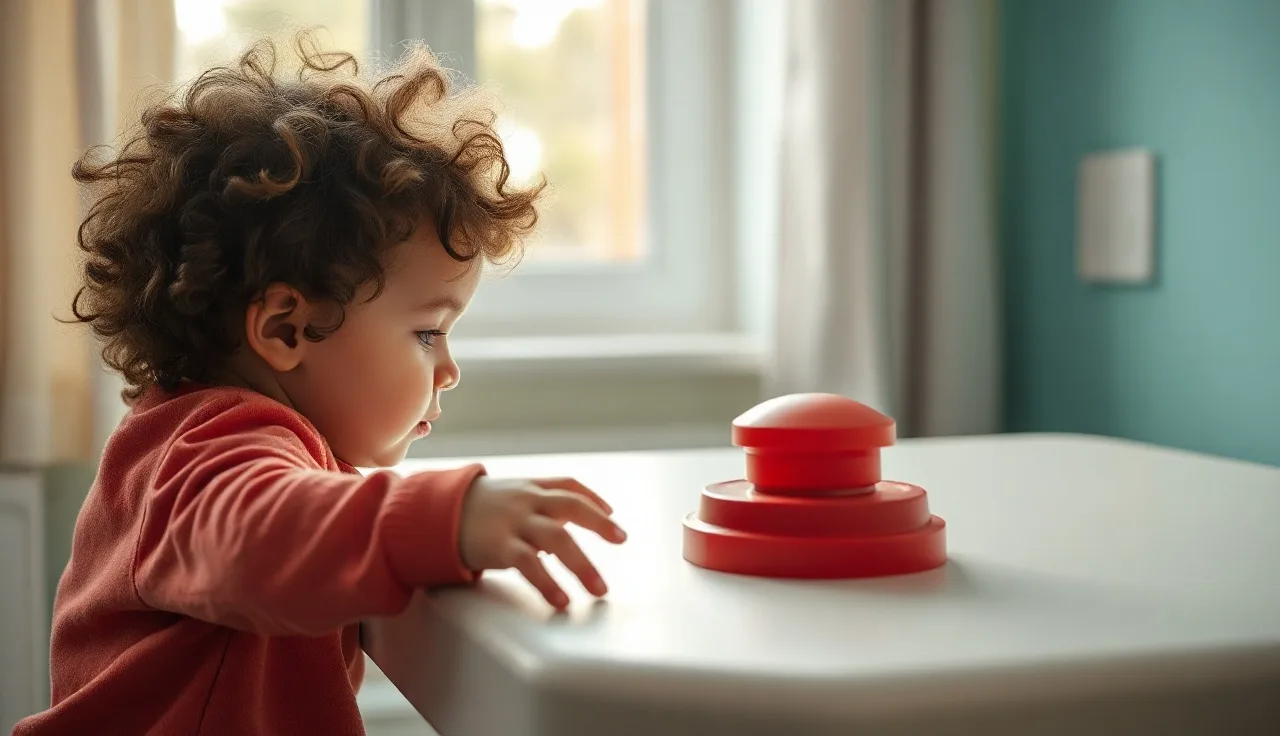
The Big MacK is a single-switch voice output device made by AbleNet, Inc. Press the large button and it plays back a recorded message. That's the whole mechanism. The button face is 4.5 inches wide, sits on a non-slip base, and can be activated with a hand, a fist, a knee, or a head. It holds one message at a time, up to 75 seconds, and runs on two AA batteries.
It sits at the very simple end of the AAC devices spectrum: low-tech, or "lite-tech" as the field calls it. No screen, no app, no Bluetooth. The recorded message plays every time the button is pressed, and a caregiver re-records it whenever it needs to change.
The device weighs about 4 ounces, comes in several colors, and has a small LED that confirms it's recording. That's the full feature list, and the simplicity is the point: a child who has never made a deliberate communicative act before can learn to use this in a single session.
AbleNet also makes a smaller version called the Macaw and a stackable variant called the Step-by-Step Communicator, but the Big MacK is the flagship large-button option, and the one most often cited in early AAC research. [1]
Who uses it
Anyone who needs to learn that pressing something causes a communication result. Speech-language pathologists reach for the Big MacK with children and adults in what researchers call the "pre-intentional" or "early intentional" stage: they haven't yet figured out that they can reliably make something happen by directing a signal toward another person. [2]
That includes children with autism who are minimally verbal and just starting to grasp cause and effect; kids with childhood apraxia of speech who understand language well but can't yet produce intelligible words; children with cerebral palsy, muscular dystrophy, or other physical disabilities who need a large, easy-to-hit target; adults relearning intentional communication after stroke or brain injury; early communicators with Down syndrome; and people with significant intellectual disabilities at any age.
ASHA says AAC evaluations should look at what a person can do now, not at prerequisite skills like literacy or a certain cognitive level. The old "candidacy model," the idea that someone has to be "ready" for AAC, has been formally rejected by ASHA. [3] That's a big part of why the Big MacK is often the first device tried: a child doesn't need to speak, read, or show symbolic understanding to begin.
It works for adults too. Speech therapy for adults after a neurological injury often starts with exactly this kind of single-switch device, to reestablish intentional communication before moving to anything more complex.
Cost and how to get one
The Big MacK retails for roughly $109 to $130 depending on the vendor. AbleNet sells it directly through its website, and it's also available through Amazon, Enabling Devices, and various AAC specialty retailers. Compared to high-tech speech-generating devices, which routinely run $6,000 to $15,000 or more, it's cheap. [4] That gap matters for families deciding whether to try AAC at all before committing to a formal evaluation for something more complex.
Insurance coverage is possible but inconsistent. Medicaid covers speech-generating devices as durable medical equipment under federal law, though rules vary by state and usually require documentation from an SLP. [5] Because the Big MacK counts as a simple, low-tech device rather than a "speech-generating device" in the traditional Medicaid sense, it may not qualify through the same pathway as a high-tech device, so it's worth checking with your state Medicaid office or your child's SLP directly.
Schools are another route. Under IDEA, if an IEP team decides a child needs AAC to access their education, the school district has to provide it, and that can include a Big MacK. [6] If your child has an IEP and the team agrees the device is needed, the school should supply it at no cost. Donation programs through nonprofits are also worth checking; availability varies and wait times can be long, but a gently used one is a reasonable find.
| Purchase route | Estimated cost to family | Notes |
|---|---|---|
| Direct retail (AbleNet, Amazon) | $109-$130 | No documentation needed |
| School IEP | $0 if team agrees | Requires IEP documentation of need [6] |
| Medicaid (state-dependent) | $0 with coverage | Coverage uncertain for low-tech AAC [5] |
| Private insurance | Variable | Prior authorization usually required |
| Donated/refurbished | $0-$30 | Limited availability |
Programming and everyday use
Programming is genuinely simple: hold the Record button on the side, speak into the built-in microphone, release. The device plays back whatever you said, and recording over the old message works the same way. The 75-second maximum is far more than any single message needs; most programmed messages run 2 to 10 seconds, things like "I want more," "Help please," "My turn," "I love you," "Let me out." A volume dial adjusts playback level, which matters in noisy classrooms. A few things the clinical literature on single-switch training bears out. Recording messages in a peer or sibling's voice rather than an adult's tends to work better: kids respond to it, and communication partners treat them more age-appropriately, when the output sounds peer-like. [7] The device also needs to sit where the user can reach it independently, every single time. If they have to ask for the device before using it, you've stacked one communication barrier on top of another, so velcro it to a wheelchair tray, a table edge, or a floor mat depending on the child's motor access. Change the message often, especially early on. A device that only ever says "I want a cookie" only gets used when the child wants a cookie. Rotate messages based on what's actually happening that day, whether that's an activity choice, a social comment, or a request for attention, so the child learns that pressing the button communicates in general, not one fixed phrase. And model it yourself: SLPs call this Aided Language Stimulation, where you press the device and then respond to it as a communication partner, showing the child what it's for. [8]
How it compares to other low-tech options
One message, one button is what defines the Big MacK and makes it the simplest possible output device. The Step-by-Step Communicator, also from AbleNet, records a sequence instead: press one plays "First," press two plays "we go to the store," press three plays "then we come home," which works well for predictable routines and story retelling and runs about $150. The Cheap Talk 4 or GoTalk 4+ hold four separate messages across four buttons, adding vocabulary but also adding the demand of choosing between options, and cost $60 to $160. PECS, the Picture Exchange Communication System, isn't a device at all but a behavioral framework using paper picture cards: free to run at home, though the formal training protocol costs money, and it teaches requesting and vocabulary while being less automatic than a button press. Then there are high-tech SGDs like Proloquo2Go, LAMP Words for Life, or Snap Core First, which run on tablets and offer hundreds or thousands of vocabulary items through symbol- or text-based access. These are what most people picture when they hear "AAC device," and they cost $6,000 to $15,000 with hardware. [4]
The Big MacK is usually an early step rather than a permanent home. The goal is always to expand communication over time, and the real mistake is leaving a child on a single-message device for years because "they aren't ready" for more. ASHA's position is clear on this: there's no evidence that learners need to prove prerequisite skills before accessing a full AAC system. [3] For kids with apraxia of speech in particular, the Big MacK can serve as a bridge: they understand more than they can say, and a button gives them a way to communicate while motor speech therapy continues.
Does the Big MacK actually help kids communicate better?
Within its narrow scope, yes, and the research is fairly clear on what it can and can't do.
Single-switch communication devices have been studied since the 1980s. ASHA describes the evidence base for low-tech AAC as "emerging" to "established" depending on the population. For children with autism, AAC as a category has solid support: a systematic review in the American Journal of Speech-Language Pathology found that "AAC interventions resulted in increased communication for 90.5% of participants" across 27 studies. [9] That review covers AAC broadly, not just single-switch devices.
The Big MacK itself is best at teaching one thing: that pressing a button produces a result. Kids who learn this tend to pick up other AAC tools faster afterward, which is really the point. It's a teaching tool as much as it is a communication device. What it won't do is expand vocabulary on its own, teach symbol understanding, build sentence structure, or give a child the range they need to interact with their world over time. If the goal is a full communication system, think of the Big MacK as a first chapter, not the whole book.
For families just starting to think about early intervention and AAC, the device lowers the barrier to entry. A $120 button that your child's SLP can train you to use in a single session is a much shorter on-ramp than a full AAC device evaluation, which can take months. Still, start the early intervention evaluation in parallel rather than waiting. Research on early AAC introduction shows no evidence it suppresses speech development, and considerable evidence it helps. [10]
Parents sometimes worry the Big MacK will make their child too reliant on technology and get in the way of talking. That's an understandable fear, but it isn't borne out: the AAP and ASHA both confirm that AAC does not prevent or reduce speech development. [10][11]
How is the Big MacK used in schools and therapy?
SLPs in schools tend to use the Big MacK two ways: as a participation tool, where the child contributes to a group activity by pressing the button at the right moment, and as a requesting tool, where the child asks for something during a structured routine.
For participation, the button might say "Good morning!" during circle time so the child can greet the class, or repeat a line from a story during read-aloud so the child can press it on cue. This folds AAC into the school day without pulling the child out for separate sessions. For requesting, the button might say "I need a break," "I want more crackers," or "My turn," so the child learns that pressing it gets a specific, reliable result every time.
Therapists working on autism spectrum speech therapy often build the Big MacK into a larger system, running it alongside PECS, a communication board, or a high-tech device. The goal is meeting the child where they are, not replacing other methods with this one.
Under IDEA, IEP teams are supposed to consider AAC for any child who needs it to access their education. [6] That consideration doesn't always turn into action, and families sometimes have to push. If an SLP recommends the device and the school hasn't provided one, put the recommendation in writing and ask for a written response.
For children working with an SLP outside of school, the Big MacK often becomes a home practice tool: the parent records a new message before an activity, then creates natural chances for the child to press it. Practice spread across a child's real environments beats practice confined to the clinic. [8] Families wanting extra support between sessions sometimes turn to tools like Little Words, which can complement what an SLP is already doing by building vocabulary and communication confidence during everyday moments.
When should a child move on to a more complex AAC device?
Move on when the device is clearly holding communication back rather than building it up. Watch for a child who presses the device correctly and consistently, meaning they've learned cause and effect and are ready for actual vocabulary; a child who seems frustrated that the device only says one thing; growing vocabulary in other modalities like signs or picture pointing; or a child who needs to say several different things in one interaction and can't.
There's no rule that a child must use the Big MacK for a minimum stretch before moving to something more powerful. Some kids are ready for a multi-message device after two weeks. Others do better with a single button for months while they build the motor skills to access a device at all. The timeline really does depend on the child.
For many kids, the next step is a device with four to eight vocabulary slots, something like a GoTalk 4+ or a simple communication board, before moving to a full AAC system. Kids with reliable pointing or screen access might skip ahead to a tablet-based SGD with a large vocabulary system.
Either way, it's worth starting a formal AAC evaluation with an SLP (ideally one with AAC-specific training) as soon as possible. Waitlists can run six months to a year, so start the process now even if the Big MacK is working fine in the meantime. The speech therapy speech therapist article on this site covers how to find qualified SLPs and what to look for in an AAC evaluation, and online speech therapy is increasingly available for AAC support too, which helps if you're in an area without many local specialists.
Can you use the Big MacK at home without a speech therapist?
Yes, there's no reason to wait for professional involvement before trying it. The device is built for anyone to use: parents, teachers, aides, and grandparents can all program and operate it without training.
That said, it does more good when someone who knows AAC implementation is guiding the process. Parents commonly leave the same message on the device for weeks, put it away between activities instead of keeping it within reach, prompt the child to press it instead of creating natural opportunities, or skip modeling it themselves. None of this is obvious if you haven't learned AAC strategies before. An SLP can walk you through Aided Language Stimulation and naturalistic communication teaching in one or two sessions, and even a single consultation can meaningfully change how you use the device at home.
If your child is showing signs of a speech or language delay, a formal evaluation is still the right call. The Big MacK isn't a substitute for assessment or therapy, it works best inside a plan. The AAP recommends developmental surveillance at every well-child visit and referral to early intervention when concerns come up. [11] In the US, children under age 3 can get early intervention services through federally mandated programs at no cost, regardless of family income. [6] Families sorting through all of this on their own might find the Little Words quiz useful for figuring out where a child stands developmentally and what to try next.
What do parents get wrong about the Big MacK?
A few misunderstandings come up again and again. Some parents assume it's a toy: it looks simple, and simple sometimes reads as not serious, but it's a communication device backed by decades of research and used by SLPs every day. Others assume that because their child already talks, the device isn't for them. Plenty of partially verbal kids have enough motor or speech-motor difficulty that they can't reliably get a message across in a stressful moment. A Big MacK set up for specific high-stakes requests, like "I need a break" or "I need to use the bathroom," can cut down on meltdowns and support the child while clearer speech keeps developing. Kids with echolalia or inconsistent language use may benefit the same way.
Then there's the "we'll just wait for them to start talking" approach, probably the most common and most costly mistake in early communication development. Every month without a communication system is a month of learning and self-expression lost, and there's no credible evidence that introducing AAC delays speech. If anything, the evidence points the other way: early AAC introduction is tied to more communication, not less. [10] Some parents also think a child needs to understand the device before using it, but understanding often develops through use. You don't wait for a baby to understand language before talking to them, and the same logic applies here.
Finally, when a child won't press the device consistently, parents sometimes conclude the device isn't working. More often the environment isn't set up well. Check positioning, check whether there are real reasons to press it in the moment, and check whether the people around the child respond every single time. Consistency of response from communication partners is the biggest driver of consistent device use.
The Big MacK and an iPad running an AAC app aren't rivals, and plenty of kids end up using both at once, just for different jobs. The Big MacK wins on durability, simplicity, and physical access. You can press it hard, drop it, sit on it, drool on it, and it keeps working. There's nothing to unlock and no way to accidentally swipe away from what you need. A child with significant motor challenges who can't reliably hit a small screen target can often hit the Big MacK every time. An iPad running something like Proloquo2Go or LAMP Words for Life wins on vocabulary. A full system can hold hundreds of words arranged in logical grids, grow with the child, and produce new sentences rather than just replaying a recording. These systems cost a lot more, but the vocabulary potential isn't in the same category. For a child just starting out with AAC, the Big MacK is often the right tool for right now. Once they show intentional communication and the motor skills catch up, a high-tech system becomes the goal. Kids who already have stronger motor control and are ready for a wider vocabulary from day one sometimes skip the Big MacK altogether and move straight to a multi-message device or tablet-based system. There's also the practical side: the Big MacK never needs charging, can't accidentally open YouTube, and doesn't get locked out by screen-time limits. For some families that matters more than you'd think. Anyone weighing the full range of options can get a sense of the landscape, from low-tech to high-tech, plus guidance on evaluation, in the overview on AAC devices.What does the Big MacK record?
One spoken message, up to 75 seconds long. Hold the record button on the side, speak into the built-in microphone, release. Press the big button and it plays back exactly what you recorded. You can re-record as many times as you like, but it only holds one message at a time.
Is it appropriate for a 2-year-old?
Yes, there's no minimum age. SLPs use it with toddlers who show no intentional communication yet, and even with infants being assessed for communication development. The 4.5-inch button is easy to hit with an open palm or a whole-arm swipe, so the main question is really motor access: can the child reliably make contact with it.
Does insurance cover it?
That depends on your plan and state. Medicaid covers speech-generating devices as durable medical equipment, but the Big MacK may not qualify under those definitions because it's classified as low-tech AAC. Private insurance is similarly hit or miss. Schools, though, must provide it at no cost if an IEP team decides the child needs it under IDEA. For anything plan-specific, check with your state Medicaid office or your child's SLP.
Will it stop my child from learning to talk?
No, and the evidence actually points the other way. Both ASHA and the AAP confirm AAC doesn't inhibit speech development. Multiple studies link introducing AAC to increased communication overall, and often to gains in speech production too. Giving a child a communication system while speech is still developing is standard practice, not a last resort.
How is it different from the Step-by-Step Communicator?
The Big MacK plays the same single message every time you press it. The Step-by-Step Communicator holds a sequence of messages, triggered one at a time with successive presses, which works well for multi-step routines or stories. Both come from AbleNet. The Big MacK is the simpler of the two; the Step-by-Step adds sequencing for more complex participation.
How do I know when it's time to move to a bigger system?
Watch for consistent, intentional pressing across different settings. If your child clearly knows how to use it but seems frustrated that it only says one thing, or their attempts to communicate in other ways are outpacing what the button allows, bring it up with an SLP. There's no set waiting period before moving on.
Is it only for children?
Not at all. SLPs use it with adults recovering from stroke, traumatic brain injury, ALS, and other conditions affecting speech. The large button suits people with limited motor control well. For an adult relearning intentional communication after a neurological event, it does exactly what it does for kids: proves that pressing something produces a reliable result.
Where can I buy one?
Directly from AbleNet at ablenetinc.com, through Amazon, or through AAC specialty retailers like Enabling Devices. Expect to pay roughly $109 to $130. Some SLPs keep demo units families can borrow, and if your child has an IEP, the school district may be required to purchase one. Occasionally you'll also find donated units through AAC lending libraries or nonprofit redistribution programs.
How do I teach my child to use it?
Start by giving them clear, natural reasons to press the button. Record something the child genuinely wants, and keep the device within consistent reach. Respond immediately and warmly every single time they press it, and model pressing it yourself before expecting them to. Update the message as activities change. Working with an SLP on Aided Language Stimulation strategies can speed things up considerably.
What message should I record first?
Whatever gets your child something they really want: "More please," "I want a turn," "Let me out," a favorite snack. The goal at first is simply teaching that pressing equals a result, so pick the most motivating message you can think of. Once pressing is reliable, start rotating in social phrases, activity choices, and requests for help.
Is it waterproof or durable enough for daily use?
It's not rated fully waterproof, but it's built for everyday classroom and home life, drops, bumps, and general rough handling included. AbleNet doesn't publish an IP water-resistance rating, so avoid submerging it or leaving it sitting in liquid, but a light splash won't hurt it.
Does my child need a diagnosis to get one?
No, anyone can buy it directly. A diagnosis might matter for insurance reimbursement or for getting one through a school IEP, but an SLP can recommend the device without a specific medical diagnosis. ASHA's position is clear that AAC access shouldn't be held back while waiting on diagnostic criteria.
Can it be used alongside PECS or other AAC systems?
Yes, and it often is. Plenty of kids use several tools at once: a Big MacK for one or two priority requests, a picture board for broader vocabulary, maybe some emerging signs. None of these compete with each other. The point is giving the child every reliable way to communicate while working toward a fuller vocabulary system over time.
What if my child won't press it?
Check three things. Is it actually within reach without help? Does the recorded message connect to something the child truly wants? And does pressing it always produce an immediate response? Most cases of non-use trace back to one of these. If all three check out and there's still no pressing after a week or two of daily chances, it's worth consulting an SLP who specializes in AAC.
Sources
- AbleNet, Inc., Big MacK product page: The Big MacK records one message up to 75 seconds, has a 4.5-inch button face, and runs on two AA batteries.
- ASHA, AAC Scope of Practice and Population: ASHA describes appropriate AAC populations including individuals in pre-intentional and early intentional communication stages.
- ASHA, Augmentative and Alternative Communication (AAC) Practice Portal: ASHA explicitly rejects the candidacy model and states there is no evidence learners need prerequisite skills before accessing AAC.
- ASHA, High-tech AAC device cost ranges: High-tech speech-generating devices typically cost $6,000 to $15,000 or more.
- CMS.gov, Medicaid Coverage of Speech-Generating Devices: Medicaid covers speech-generating devices as durable medical equipment under federal law, with coverage rules varying by state.
- U.S. Department of Education, IDEA Regulations (34 CFR Part 300): Under IDEA, IEP teams must consider AAC for any child who needs it, and districts must provide it at no cost. Children under 3 receive early intervention services at no cost to families.
- Drager, K. et al., AAC and natural-sounding output, Journal of Speech, Language, and Hearing Research: Research on AAC output suggests children respond better and communication partners treat them more age-appropriately when device voices sound peer-like.
- Goossens, C., Aided Language Stimulation, ASHA and clinical literature: Aided Language Stimulation involves the communication partner modeling AAC device use; distributed practice across real environments is more effective than clinic-only use.
- Ganz, J.B. et al., 'AAC interventions for individuals with autism spectrum disorders', American Journal of Speech-Language Pathology (2012): A systematic review of 27 studies found AAC interventions resulted in increased communication for 90.5% of participants.
- Millar, D.C., Light, J.C., & Schlosser, R.W., 'The impact of AAC on the speech production of individuals with developmental disabilities', American Journal of Speech-Language Pathology (2006): AAC introduction does not suppress speech development; research shows it is associated with increased communication and often increases in speech production.
- American Academy of Pediatrics, Developmental Surveillance and Screening Policy: The AAP recommends developmental surveillance at every well-child visit and referral to early intervention when concerns arise; AAP confirms AAC does not prevent speech development.