Last updated 2026-07-11
A child with motor difficulties can absolutely use AAC well, but the device by itself won't get you there. How the child physically accesses the device matters as much as which app or vocabulary you choose. Some kids do best pointing directly at a screen, others need switch scanning, eye gaze, or a keyguard to make selection possible at all. Getting this right usually means working with a speech-language pathologist who specializes in AAC access, though there's a lot parents can do at home in the meantime to make practice less frustrating.
Motor difficulties and AAC: what we're actually talking about
"Motor difficulties" covers a lot of ground. In the context of AAC it usually means one of two things: trouble with the fine motor control needed to point at or touch a screen reliably, or trouble with the gross motor stability needed to hold a device steady enough to use it. Kids with cerebral palsy, hypotonia, childhood apraxia of speech, spinal muscular atrophy, or motor planning differences linked to autism can all run into this.
Clinicians draw a hard line between access and language. A child can understand complex language and have plenty to say, and still be physically unable to tap a small symbol with any accuracy. Those are two different problems with two different fixes. Assuming that a motor difficulty means reduced language or cognitive potential is one of the more damaging mistakes people make around AAC.
The American Speech-Language-Hearing Association (ASHA) describes AAC as any method that supplements or replaces natural speech or writing, and treats motor access as a core part of any AAC evaluation [1]. Skip that piece and the device tends to end up in a drawer.
If you want more on how apraxia of speech affects motor planning for communication, it's worth reading alongside this, since the motor challenges behind speech and behind AAC access often show up together but aren't the same thing.
The four main ways kids physically access a device
Each access method suits a different motor profile, and the right one comes down to what your child can do most reliably without wearing out.
Direct selection is the most familiar: the child touches, points to, or looks at a target directly. It works when a child has some functional hand or finger control, even imprecise control. A keyguard (a rigid overlay with holes cut above each symbol) or larger symbols can make direct touch workable for kids who can't hit small targets.
Switch scanning uses one or two physical switches while the device cycles through items, automatically or step by step, and the child hits the switch to select. This suits kids with very limited range of movement but one reliable voluntary movement somewhere, a head turn, a brow raise, a knee lift. It has a real learning curve: scanning demands waiting, timing, and working memory all at once.
Eye gaze uses an infrared camera to track where the child is looking, and the child holds their gaze on a symbol for a set time to select it. It's a strong option for kids with severe physical impairment but intact visual tracking. Systems like Tobii Dynavox need careful calibration and positioning to work well.
Head tracking and voice input show up less often. Head tracking uses a small reflective dot on the forehead or glasses, tracked by camera, to move an on-screen cursor. Voice input rarely works as a primary method for kids who are nonspeaking or minimally verbal, though it can supplement other methods.
Nobody has clean data on which method gets a given child communicating fastest or with the most satisfaction. The honest guidance from augmentative and alternative communication research is that access method should be trialed, not assumed, and kids often surprise their teams with what they can use reliably [2].
Why positioning changes everything
Positioning isn't a finishing touch, it's the foundation. When a child's body isn't stably supported, their motor system spends its energy just holding posture instead of producing controlled movement. A child slumped in a standard chair, or propped at an odd angle in a stroller, will show much worse motor accuracy than that same child in a well-fitted seating system. Occupational and physical therapists sum this up as "proximal stability for distal mobility": you need a stable trunk before you can expect controlled hand or finger movement.
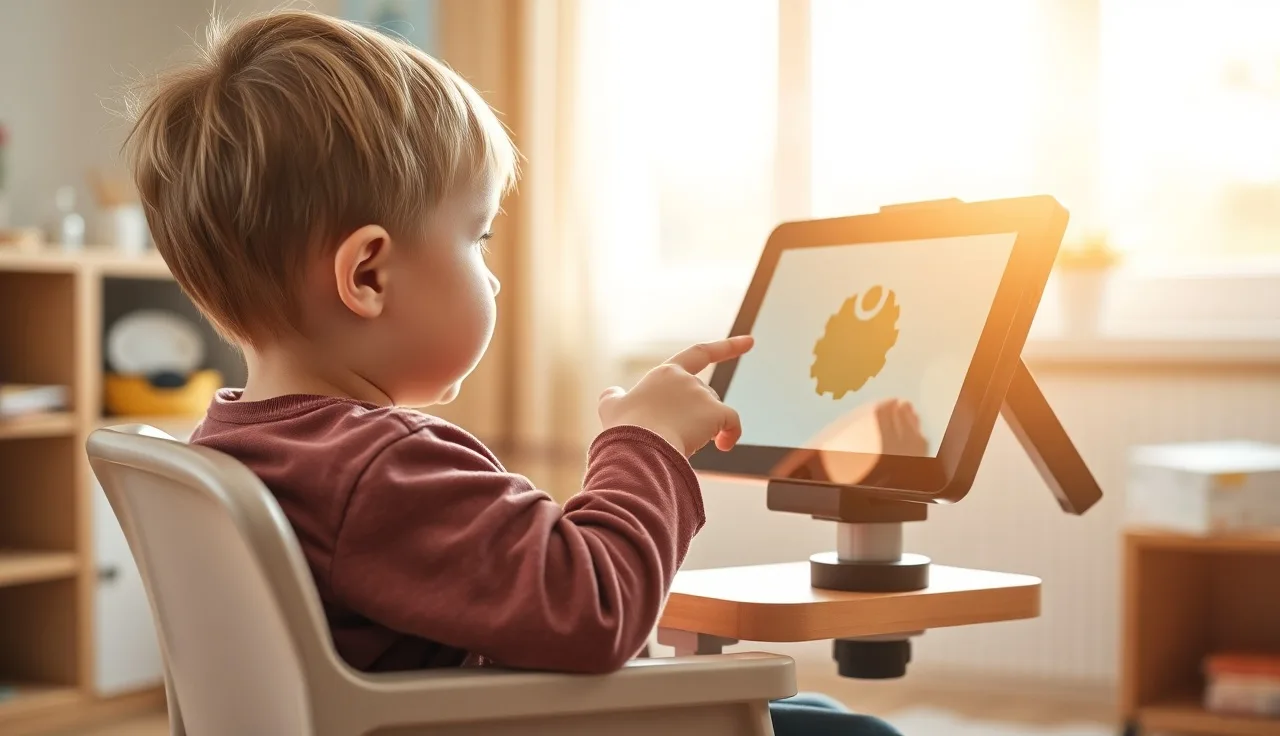
A few practical rules follow from this. Mount or place the device so the child never has to reach up, lean forward, or crane their neck. Eye gaze users generally need the device around chest height, tilted slightly away from them. Touch users usually do best with the device angled at a height where the elbow sits near 90 degrees and the shoulder doesn't have to lift. A flat tablet on a table is often the worst setup of all, especially for kids with extensor tone patterns.
For children who use wheelchairs, a proper AAC mount with an adjustable arm is often not optional, and it's typically covered under durable medical equipment in Medicaid plans when medically documented, though coverage varies by state [3].
Try a simple test at home: run the same activity with your child in a standard chair, then on the floor with back support, then in their best seating system, and watch what happens to their accuracy and frustration. The difference is often striking.
Setting up vocabulary so motor effort stays low
Vocabulary organization affects motor load in ways most people never stop to consider. Every page navigation is a motor act, and every trip back to the home screen costs movement and energy. That's why core vocabulary, the small set of high-frequency words (go, more, want, stop, help, I, you, not) that stays on every page, matters so much for kids with motor difficulties: they can reach those words without navigating anywhere. Cutting the number of symbols per page often helps more than any other single change. A 4-symbol display asks for far less precision than a 42-symbol one. Most AAC systems let you customize grid size, and some SLPs start small and grow the grid over months as the child's accuracy improves. Symbol size matters just as directly. Research on touch target size from human-computer interaction work, later applied to AAC, suggests targets below roughly 9mm square produce much higher error rates for users with motor impairments, though the ideal size still varies by the child [4]. For kids using switch scanning, vocabulary layout decides how long they have to wait for the word they actually want. Putting the most-needed words earliest in the scan order, or using group-item scanning (categories scan first, then items within a category), cuts down the number of activations needed to get there. Your SLP can adjust these settings, but you can watch for clues at home too. If your child keeps landing on the wrong symbol, that's often a precision problem from too dense a grid, not a language or motivation issue.
Getting a motor access assessment
A motor access assessment is a structured evaluation, usually run by an SLP who specializes in AAC and sometimes alongside an occupational therapist, aimed at working out which access method your child can use most reliably and efficiently. It's a different exercise from a general speech-language evaluation.
It typically involves trying several access methods across different devices while tracking accuracy and speed, watching for fatigue, and checking positioning. It may also mean trialing switch types (buttons, pads, and pillow switches all have different activation forces and travel distances) or running a preliminary eye gaze calibration.
If your child has significant motor difficulties and received an AAC device without a real access assessment, or if a device came home and quickly went unused, ask for this specifically. Your child's SLP or developmental pediatrician can refer you to an AAC specialty clinic. Many children's hospitals run these, and university speech-language programs often operate AAC centers that evaluate on a sliding fee or reduced-cost basis [1].
For children under 3, the early intervention system includes AAC evaluation as a possible service. For school-age children, families can request an AAC assessment through the IEP process at no cost, under IDEA (Individuals with Disabilities Education Act, 20 U.S.C. § 1400 et seq.) [5].
Don't wait for a child to "be ready." There's no developmental milestone that has to be hit before AAC becomes appropriate: both ASHA and the AAP support introducing it early [1][6].
Which AAC devices and apps work best for children with motor difficulties?
There's no single best device, but a few features matter a lot once motor access is the issue.
For touch access, look for apps and devices that allow keyguard overlays, variable grid sizes, adjustable touch duration (how long a touch must be held before it registers, which helps prevent accidental activation), and touch guards to dismiss accidental grazes. Proloquo2Go, TouchChat, and LAMP Words for Life are widely used apps that run on iPads and allow most of these customizations. Dedicated AAC devices from Tobii Dynavox, PRC-Saltillo, and Lingraphica tend to have sturdier hardware built for repeated daily use.
For switch access, most major dedicated AAC devices support switch scanning natively, and iPad apps support switch access via Bluetooth switches and iOS Switch Control. The switches themselves (buttons, paddle switches, head switches, sip-and-puff) come from suppliers like AbleNet and Enabling Devices and cost roughly $40 to $400 depending on type.
For eye gaze, Tobii Dynavox devices (the I-Series and TD Pilot, for example) are the most established. Eye gaze systems typically cost $7,000 to $20,000 or more for dedicated hardware, though funding through Medicaid, private insurance, and state assistive technology programs is often available [7].
On funding: Medicaid classifies AAC devices as durable medical equipment, and a prescribing physician's letter of medical necessity plus SLP documentation is generally required. Private insurance coverage varies widely.
The aac devices article walks through a fuller comparison of device categories and funding, and if autism is also part of the picture, autism spectrum speech therapy covers using AAC in that population.
| Access Method | Best For | Typical Cost Range | Common Tools |
|---|---|---|---|
| Direct touch (plain) | Mild-moderate motor difficulty | App: $0-$400 | iPad + any AAC app |
| Keyguard overlay | Imprecise touch, athetosis | $50-$200 add-on | Custom keyguards from AAC suppliers |
| Switch scanning (1-2 switch) | Very limited hand use | Switches: $40-$400 | Any major AAC device + switch |
| Eye gaze | Severe motor impairment | $7,000-$20,000+ | Tobii Dynavox, PCEye |
| Head tracking | Intact head control, limited hands | $100-$500 add-on | HeadMouse, various |
Practicing at home without it turning into a fight
Keep sessions short. Five to ten minutes of real communicative use beats a forty-five-minute drill that ends in tears. Motor fatigue in kids with physical impairments is real, and pushing past it doesn't build skill, it builds avoidance.
Model constantly. Use the device yourself to say things, and point to symbols while you talk. You're showing your child what communication with this tool looks like, without demanding they perform. SLPs call this "aided language stimulation," and it's the most evidence-supported strategy for increasing AAC use across populations [2].
Let your child initiate. Set up the environment so they have a reason to communicate: hold something they want just out of reach, pause a favorite activity, resist anticipating every need before they can express it. It sounds obvious and is surprisingly hard to do consistently.
Pay attention to what frustration actually looks like for your child. For motor-impaired kids it usually comes from the device being out of reach, the grid being too dense to select accurately, or scanning running too fast or too slow. These are fixable technical problems, not attitude problems.
If your child is also working on verbal approximations alongside AAC, the childhood apraxia of speech article has home strategies that pair well with what's here.
Little Words (littlewords.ai) is one app built to help parents do this kind of daily AAC modeling and vocabulary building at home between therapy sessions. It won't replace an SLP, but if your child already has a device or system, it can help you stay consistent on the days you're on your own.
Where OTs and PTs fit alongside the SLP
An SLP handles language, vocabulary, and communication strategy. An occupational therapist handles the fine motor side: which switch is easiest to activate, how to position a hand for more reliable pointing, whether a keyguard helps or hinders, and what makes holding or touching a device manageable. A physical therapist handles seating, positioning, and trunk stability.
For a child with significant motor difficulties, AAC really is a team sport. The SLP might pick the right vocabulary and device, the OT might find that a different switch location cuts error rates in half, and the PT might notice that a seating insert changes everything.
Coordinated team evaluations happen at AAC clinics and some school districts, but they're not universal. If your child sees these professionals separately, you may end up carrying information between them yourself. A short video of your child trying the device in different positions is worth more than any verbal description at an appointment.
School-based teams are required under IDEA to consider assistive technology, which includes AAC, for any child who might benefit [5]. You can request that OT and PT be part of that conversation if motor access is a barrier, and it's worth putting the request in writing.
How do I know if the current access setup is actually working?
This question gets skipped too often. Plenty of children use AAC setups that technically function but are inefficient, inaccurate, or exhausting in ways nobody is measuring.
Look at a few concrete things: how often the child hits the wrong symbol, how many corrections they make, how fast accuracy drops as a session goes on, and whether they use the device spontaneously or only when an adult holds it in front of them and waits.
If the error rate is high (more than 20-30% of selections landing on the wrong target) and the child has any capacity for a different access method, it's worth reassessing. Research on AAC use consistently finds that unreliable access is a major predictor of device abandonment [2].
Data collection doesn't have to be complicated. A tally sheet counting correct versus incorrect selections over a 10-minute session, done twice a week, gives you real information to bring to your SLP. Many dedicated AAC devices also log what was selected and when.
Progress in AAC is often slower than parents expect and faster than pessimistic clinicians predict, and both can be true at once. Give a new access setup at least 6 to 8 weeks of consistent use before deciding it doesn't work, but don't wait years if something clearly isn't fitting.
What if my child refuses to use the device at all?
Refusal is information, not defiance. Kids who refuse AAC are usually telling you something: the device is uncomfortable to access, it doesn't have the words they want, it's been used mainly for adults to demand responses instead of for real communication, or the motor demand is just too high to be worth the effort.
Rule out the access problem first. If touching the screen is consistently inaccurate or painful, or scanning is so slow the child gives up before reaching their word, refusal makes complete sense. Try an easier access method for a while, even if it means fewer vocabulary options.
Then check the vocabulary. Does the device have words for what the child actually cares about, beyond "want cookie" and "bathroom": their favorite video game, their pet, their frustrations? High-motivation vocabulary raises engagement, and there's reasonable clinical evidence behind that [2].
Make sure the device gets used for real communication, not testing. If it only comes out when an adult is waiting with a quiz-like expectation, children learn fast that the device means performance pressure.
For some children, especially those with autism, a lower-tech option alongside the device (a small paper communication board, a few PECS cards) can bridge gaps when the device is unavailable or overwhelming. Low tech isn't failure. It's flexibility.
If you suspect the refusal reflects something deeper about communication or motivation, a speech therapy speech therapist consult focused on AAC motivation and buy-in can help reset the dynamic.
Does AAC slow down speech or stop a child from trying to talk?
No, and the evidence against this fear is consistent. Multiple studies, including a systematic review published in the American Journal of Speech-Language Pathology, found that AAC does not suppress speech development, and in some cases AAC use is associated with increases in natural speech attempts [8]. The American Academy of Pediatrics supports early AAC use and states it does not interfere with speech development [6].
The worry makes a kind of intuitive sense: if a child can push a button to get what they want, why bother talking? But communication motivation doesn't work that way. AAC cuts frustration and gives children a working model of intentional communication, which often raises all communication attempts, verbal ones included.
For children with childhood apraxia of speech, where motor planning for speech is the specific impairment, AAC usually runs alongside intensive speech therapy rather than replacing it, so the child can communicate now while the speech motor system is being trained.
If a child's verbal speech has fully plateaued for more than several months, AAC is not the reason. The underlying condition is.
How do schools handle AAC for students with motor difficulties?
If your child qualifies for special education under the Individuals with Disabilities Education Act (IDEA, 20 U.S.C. § 1400), they're entitled to assistive technology, including AAC, whenever the IEP team decides it's needed for a free appropriate public education [5]. The school district has to provide and pay for it.
That said, school-based AAC support varies a lot from district to district. Some have AAC specialists built right into their teams. Others have speech pathologists with little AAC training and nobody coordinating assistive technology at all.
You can request an AT (assistive technology) evaluation as part of the IEP process, and it's worth putting that request in writing and keeping a copy for yourself. Response timelines vary by state, but IDEA sets outer limits on how long a school can take.
If your child already has a personally owned AAC device, whether you bought it privately or got it through Medicaid, the school generally has to let them use it in the classroom, and the IEP should say so explicitly. A school cannot simply prohibit a child from using their communication device.
If your child hasn't yet been evaluated for early intervention or IEP services, it's worth knowing that those evaluations open the door to publicly funded AAC support many families never realize exists. Starting early really does make a difference.
Common questions parents ask
At what age can a child start using AAC with motor difficulties?
There's no minimum age. ASHA's research and clinical guidance support introducing AAC as early as infancy when a motor impairment is already affecting communication. Very young children can start with low-tech tools like a single-button voice output device or a simple board. The earlier a child gets a reliable way to communicate, the better their long-term outcomes tend to be, so age alone is never a good reason to wait.
Can a child use AAC if they have very limited movement?
Yes. Eye gaze technology lets a child who can't use their hands select vocabulary just by looking at symbols. Sip-and-puff switches work well for children with breath control but no limb function, and single-switch scanning needs just one reliable voluntary movement, wherever on the body that happens to be. An access assessment by an AAC-specialist SLP can figure out what movement your child has available and match it to the right method.
What is a keyguard and does my child need one?
A keyguard is a rigid plastic or acrylic overlay that sits over a touchscreen, with a hole cut above each symbol so a finger gets guided to the right target instead of brushing the neighboring one. These are especially useful for children with athetoid or irregular movement patterns who tend to overshoot. You can order a custom keyguard from AAC suppliers for most major app-and-device combinations, usually for $50 to $200.
How do I get insurance or Medicaid to pay for an AAC device?
Medicaid treats dedicated AAC devices as durable medical equipment. You'll typically need a physician to write a letter of medical necessity and an SLP to document the communication need and recommend the device. Private insurance coverage depends heavily on the plan and state. State assistive technology programs, funded under the Assistive Technology Act, offer device loans and sometimes funding help too. An SLP or AAC clinic can usually walk you through the paperwork.
What is switch scanning and how long does it take to learn?
With switch scanning, the device highlights options one at a time and the child activates a physical switch to make a selection. It takes time to learn because the child has to follow the scan sequence, wait for the right item, and time the switch activation correctly. Most children need weeks to months of steady practice, and starting with a simpler setup (fewer items, slower speed) helps. A patient, low-pressure environment matters more than the specific technique you use.
My child can speak some words. Should they still use AAC?
Possibly, yes. AAC isn't only for children who don't speak at all. If motor difficulties make a child's speech inconsistent or effortful, AAC can give them a more reliable way to communicate alongside the speech they do have. This is called multimodal communication, and it's actually the norm rather than the exception. Research published in the American Journal of Speech-Language Pathology shows that using AAC alongside speech doesn't reduce speech attempts, and may even increase them.
How do I choose between a dedicated AAC device and an iPad app?
Dedicated devices tend to be sturdier, mount more securely, and support switch and eye gaze access without much extra setup. iPad apps cost less and use hardware a family may already have, but iPads weren't built for the daily wear that AAC use puts on a device. If your child has significant motor difficulties and will rely on AAC as their main way of communicating, a dedicated device is usually the better long-term investment. For early trials or as a backup option, an iPad app is a reasonable place to start.
What is 'aided language stimulation' and how do I do it?
This is when you, as the parent or therapist, use your child's own AAC system to model language during ordinary conversation and play, touching symbols on the device as you talk the way you might point to pictures in a book. You're not asking the child to imitate you. Research consistently shows this is the most effective way to build both AAC use and overall language, and just ten to fifteen minutes a day of relaxed, genuine modeling adds up over time.
Can a child use eye gaze AAC if they have vision problems?
It depends on the vision problem. Eye gaze requires a child to fixate reliably on a target and tell it apart from others on screen, so children with cortical visual impairment (CVI), nystagmus, or significant strabismus may struggle with a standard setup. Some systems can be calibrated for unusual gaze patterns, and adjustments like higher contrast, fewer items, or larger targets can help. It's worth getting a functional vision assessment alongside the AAC access assessment before ruling eye gaze in or out.
How do I request an AAC evaluation at school?
Write to your child's special education coordinator or principal and ask for an assistive technology evaluation as part of the IEP process, stating specifically that you believe your child needs AAC because of motor and communication difficulties. Send it by email or certified mail and keep a copy. Under IDEA, the school has to respond within timelines set by your state, typically 15 to 60 days. You can also ask that an OT be included in the evaluation to look specifically at motor access.
Does the type of motor difficulty (cerebral palsy vs. hypotonia vs. apraxia) change how AAC is set up?
Yes, quite a bit. Cerebral palsy with spasticity often brings high muscle tone and limited range of motion, so switch placement and mounting need to work around where the child can move reliably. Athetoid cerebral palsy involves involuntary movement, which makes keyguards and touch guard settings especially helpful. Hypotonia means low trunk stability, so positioning becomes critical. Childhood apraxia of speech, by contrast, is mainly a speech motor planning issue and usually doesn't require the kind of adapted access that physical motor impairments do.
Are there low-tech AAC options that work for children with motor difficulties?
Yes. Communication boards, PECS cards, and single-message voice output buttons (like BigMacks) can all be adapted for motor access, using larger symbols, fewer items per page, or mounting for easier reach. Low-tech options don't need charging, hold up well, and work anywhere, which is why they're often used alongside a high-tech device rather than instead of one, especially in settings where the main device isn't practical.
How do I tell if my child's AAC problems are about access or about language?
Pay attention to what happens when the motor demand gets lighter. If your child communicates more readily with a simpler access method, fewer symbols, or a little physical help, access is probably the main barrier. But if they can operate the device reliably and still don't use it to communicate, the issue may be language understanding, motivation, or the vocabulary that's available to them. Most children have some of both going on, but figuring out which one dominates helps you and the SLP know where to focus.
Sources
- ASHA, Augmentative and Alternative Communication (AAC) overview: ASHA defines AAC as any method supplementing or replacing natural speech or writing and identifies motor access as a core evaluation consideration
- Beukelman & Light, Augmentative and Alternative Communication (5th ed.), via ASHA evidence map on AAC: Aided language stimulation and access method trialing are among the most evidence-supported AAC implementation strategies; unreliable access predicts device abandonment
- CMS, Medicaid Durable Medical Equipment coverage: AAC device mounts and dedicated devices may be covered as durable medical equipment under Medicaid with physician and SLP documentation
- Fager et al. (2012), AAC and motor access, Augmentative and Alternative Communication journal, via ASHA: Touch target size below approximately 9mm square results in significantly higher error rates for AAC users with motor impairments
- U.S. Department of Education, IDEA (Individuals with Disabilities Education Act, 20 U.S.C. § 1400): IDEA requires IEP teams to consider assistive technology, including AAC, for any child who may benefit, at no cost to the family
- American Academy of Pediatrics, AAC and communication development policy guidance: The AAP supports early AAC introduction and states it does not interfere with natural speech development
- RESNA (Rehabilitation Engineering and Assistive Technology Society of North America), AAC device cost and funding guidance: Eye gaze dedicated AAC devices typically cost $7,000 to $20,000 or more; funding through Medicaid and state AT programs is often available
- Millar, Light & Schlosser (2006), 'The impact of AAC on natural speech development,' American Journal of Speech-Language Pathology: Systematic review found AAC does not suppress speech development; in some cases AAC use is associated with increases in natural speech attempts
- Assistive Technology Act of 2004 (29 U.S.C. § 3001), AT3 Center: State AT programs funded under the Assistive Technology Act provide device loans and sometimes funding assistance for AAC
- ASHA Practice Portal, Augmentative and Alternative Communication: ASHA practice portal describes access assessment process, team roles of SLP, OT, and PT in AAC evaluation, and implementation guidance