Evidence note: The clinical boundaries on this page follow ASHA: Speech Sound Disorders, Articulation and Phonology. Product descriptions come from the current Little Words repository; volatile App Store details should be checked in the store before purchase.
Little Words at a glance
- Purpose
- Supervised speech and language practice at home
- Primary focus
- Children ages 2 to 8
- Full support
- Age-respectful activities through age 10
- Devices
- iPhone and iPad
- Cost
- Free download with optional subscription
- Ways to respond
- Speech, pictures, choices, gestures, and AAC alongside the app
- Not designed for
- Diagnosis, clinical treatment, or replacing AAC or an SLP
First sounds to sentences
Practice can begin with a sound, approximation, picture choice, or essential word and grow toward vocabulary, directions, storytelling, and conversation.
Speech sounds in context
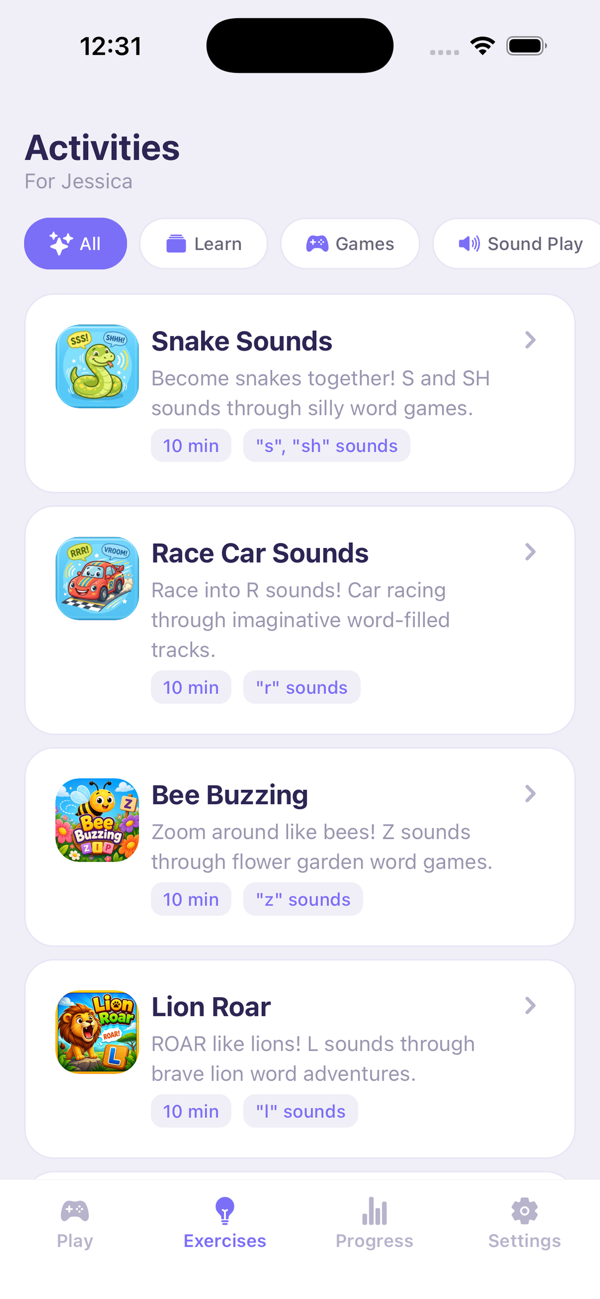
Parents can select target sounds while Buddy weaves useful words into games and conversation instead of presenting a wall of flashcards.
A calmer practice loop
Adjust pacing, wait time, session length, and energy. Buddy stays warm when a child needs more time or another way to answer.
What children actually do in Little Words
Children talk and play with Buddy, a patient AI bunny. A session may involve making a sound to move a game forward, choosing between two pictures, naming something a child cares about, following a direction, finishing a phrase, asking for help, or taking a conversational turn. The activity changes with the child instead of asking every child to complete the same drill.
Speech is not the only valid response. Word approximations, picture choices, parent-entered gestures, and essential communication words can all keep the interaction moving. That matters for children whose speech is emerging, inconsistent, difficult to understand, or temporarily unavailable.
How this differs from a flashcard app
A flashcard app usually presents a word, asks for repetition, and awards a point. That can be useful for a narrow articulation target, but it does not create much reason to communicate. Little Words puts practice inside an exchange: the child communicates, Buddy responds, and the child's choice changes what happens next.
The parent still controls the important boundaries: goals, interests, session length, sensory preset, target sounds, and whether a session should stop. The AI provides variety and patient repetition. It does not set a clinical treatment plan.
A realistic ten-minute home routine
- Choose one goal. Use a target from your child's SLP when there is one, or select a functional goal such as asking for help, taking turns, or practicing one sound.
- Set the session for the child you have today. Pick calm, gentle, or higher-energy pacing and keep the session short enough to end successfully.
- Stay nearby without coaching every answer. Let Buddy wait. Support a picture or gesture response if speech is hard.
- Stop on the child's cue. “All done,” withdrawal, fatigue, or distress means the practice is over.
- Use one idea in real life. Repeat a useful word or conversation move at snack, bath, play, or school pickup.
What a responsible speech app cannot do
An app cannot determine whether a child has a speech sound disorder, language disorder, childhood apraxia of speech, autism, hearing loss, or another condition. It cannot decide which motor-speech cue is clinically appropriate, and it cannot guarantee that practice will produce a specific outcome.
The American Speech-Language-Hearing Association describes assessment and treatment as individualized processes that depend on the child's age, error pattern, intelligibility, language profile, and functional needs. Little Words is designed to make appropriate practice easier to repeat, not to replace that judgment.
Questions parents ask
Is Little Words really speech therapy?
No. Little Words is educational home-practice support. A licensed speech-language pathologist evaluates, diagnoses, and treats communication disorders. Little Words helps families repeat suitable speech and language activities between sessions or while they seek professional guidance.
What ages is Little Words for?
Little Words is designed for children ages 2 to 8, with support for older children. Children ages 9 and 10 can also benefit from age-respectful activities matched to their communication level.
Does my child have to read?
No. Little Words is voice-first and supports visual choices. A child can participate without reading or typing.
Can an SLP choose the goals?
Yes. Parents can use target sounds, words, routines, and communication goals recommended by the child's SLP and share descriptive practice summaries back with the care team.
Is it free?
The app is free to download and includes conversation previews. Optional monthly and yearly subscriptions unlock continued use. Pricing is shown in the App Store before purchase.
Clinical and product sources
- ASHA: Speech Sound Disorders, Articulation and Phonology
- ASHA: Spoken Language Disorders
- Little Words on the App Store
How this page was prepared
We checked product statements against current Little Words product materials and linked clinical statements to primary or authoritative sources. Little Words makes the app, so product recommendations on this site carry that conflict. No clinical reviewer is implied unless a named reviewer is listed.
Last checked: . If you spot an error, tell us.